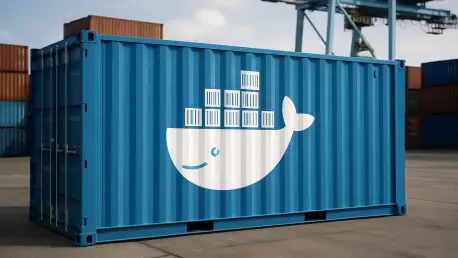

The proliferation of AI agents has introduced a new paradigm in software development, yet their creation and orchestration often involve navigating a labyrinth of complex programmatic frameworks, custom logic, and intricate dependency management. Docker’s new open-source framework, cagent, emerges as a powerful alternative by championing a declarative, configuration-first philosophy that dramatically simplifies the entire lifecycle of an AI agent. Instead of requiring developers to write extensive Python or C# code to define agentic behavior, cagent allows them to encapsulate an agent’s entire persona, capabilities, and tools within a single, portable YAML file. This approach effectively decouples the agent’s logic from the underlying infrastructure, providing a streamlined path from a simple “Hello World” agent to sophisticated, multi-agent processing workflows. While traditional frameworks such as LangGraph or AutoGen offer deep architectural flexibility and granular control suitable for complex reasoning loops, cagent prioritizes portability, rapid deployment, and execution speed, making it an ideal choice for standardized tasks and seamless integration into existing development ecosystems. This shift towards configuration over code lowers the barrier to entry and accelerates the development of containerized, intelligent assistants.
1. Establishing the Cagent Environment
Before building an agent, establishing a proper development environment is the foundational first step, ensuring all necessary components are correctly installed and configured. The primary prerequisite for using cagent is Docker Desktop version 4.49 or later, which bundles the framework and its dependencies for a smooth user experience. However, for developers operating in environments without the full Docker Desktop suite, such as on a Linux server or for those preferring a more lightweight setup with Docker Engine, cagent can be installed directly as a command-line tool using the native package manager of the operating system. This flexibility ensures that the framework is accessible across different development setups. For macOS users, the installation is handled efficiently through Homebrew with the simple command brew install agent. Similarly, Windows users can integrate cagent into their system by running winget install Docker.cagent via the WinGet package manager. After the installation process is complete, it is crucial to verify that the tool has been set up correctly by executing the cagent version command in the terminal. A successful installation will return the current version number, confirming that the system is ready to begin defining, running, and orchestrating AI agents.
2. Constructing Your Initial Agent
The process of creating a basic agent with cagent demonstrates the framework’s core principle of declarative configuration, where an agent’s entire identity is defined in a human-readable file rather than through imperative code. To illustrate this, consider the creation of a specialized Technical Writer agent. The first step involves creating a configuration file named assistant.yaml. Inside this file, the agent’s properties are specified. The version: "1" line sets the configuration schema. The agents block contains the definitions for one or more agents, with the primary one designated as root. Under root, the model field specifies the large language model to be used, such as openai/gpt-4o. The description provides a concise summary of the agent’s purpose, for instance, “A professional technical writer who simplifies complex DevOps topics.” Finally, the instruction block contains the detailed system prompt that guides the agent’s behavior, tone, and output format, instructing it to use Markdown and include code snippets. Once the YAML file is prepared, the next step is to configure the necessary credentials by setting the API key as an environment variable, for example, export OPENAI_API_KEY=your_key_here. With the configuration and credentials in place, the agent is brought to life by executing the cagent run assistant.yaml command. This single command starts the agent in the terminal, transforming the declarative YAML definition into an interactive, containerized assistant ready to perform its specialized tasks.
3. Integrating External Tools Using MCP
To build agents that can perform meaningful, real-world tasks, it is essential to connect them to external data sources, APIs, and services. The Model Context Protocol (MCP) provides a standardized, open-source method for achieving this integration, allowing agents to interact with entities like databases, search engines, and other APIs. cagent natively supports MCP through its toolsets feature, enabling agents to leverage pre-built or custom tools to augment their capabilities. A practical example is building a “Gemini Expert” agent designed to search and retrieve documentation from the Gemini API. This agent is defined in a gemini_expert.yaml file, specifying a model with strong reasoning capabilities like anthropic/claude-3-5-sonnet and instructions to use its tools to answer user queries about implementing specific features. The key to its functionality lies in the toolsets block, where the type is set to mcp and the ref points to docker:gemini-api-docs. This reference instructs cagent to connect to the Gemini API documentation server available in the Docker Hub MCP catalog. Upon running this agent, it can dynamically query the documentation to provide accurate code snippets and best practices. Beyond MCP, cagent offers a variety of other built-in toolsets, including filesystem for interacting with local files and directories, shell for executing system commands, think for enabling complex reasoning chains, and memory for storing and retrieving information across conversational sessions.
4. Orchestrating Complex Multi-Agent Workflows
The true power of cagent becomes apparent when orchestrating multi-agent workflows, where a complex task is broken down and delegated to a team of specialized agents. This hierarchical structure mirrors a real-world project team, with a manager overseeing specialists. To create such a system, a multi-agent.yaml configuration file defines multiple agents with distinct roles. The root agent acts as the orchestrator or Project Manager, serving as the sole point of contact for the user. Its instructions define the overall goal and the process for delegating tasks. For example, a Project Manager agent tasked with creating a blog post about the Gemini API would be instructed to first ask a “researcher” sub-agent to find technical details and then pass those findings to a “writer” sub-agent to produce the final content. The sub_agents are defined separately within the same YAML file. The researcher agent might be equipped with the Gemini API documentation MCP toolset to gather specific technical specifications, while the writer agent is optimized for generating polished, developer-friendly content. These specialists are hidden from the user and only communicate with the root agent. When the workflow is executed, the root agent seamlessly coordinates the entire process, breaking down the user’s request, assigning sub-tasks, and consolidating the outputs into a single, cohesive response. This modular approach allows for the creation of highly sophisticated and capable AI systems from simple, reusable components. Once a multi-agent system is perfected, it can be shared with the community by pushing its configuration to Docker Hub using a command like cagent push .multi-agent.yaml your-username/tech-team:v1, treating the agent definition just like a container image.
A New Era for Agent Development
The introduction of Docker cagent marked a significant shift in how AI agents were built and deployed. By embracing a configuration-first methodology, it successfully abstracted away the complexities of manual orchestration and intricate coding patterns that had previously defined the agentic development landscape. This approach enabled developers to move with unprecedented speed, focusing on defining agent behavior rather than managing infrastructure. The framework’s native support for a diverse array of models and tools, including the standardized Model Context Protocol, provided the building blocks for creating a resilient and vendor-agnostic AI stack. This ultimately empowered teams to construct sophisticated, multi-agent systems that were both powerful and portable, paving the way for more accessible and scalable AI integration.