
The modern digital consumer is currently navigating a landscape defined by an unrelenting barrage of monthly invoices for storage, media access, and productivity software that creates a persistent financial drain. This phenomenon, frequently described as subscription fatigue, has reached a critical tipping point as the cumulative cost of platforms like Google One, iCloud, and Dropbox begins to rival the price of high-end hardware over a short period. Consequently, a significant movement toward digital self-sovereignty is gaining momentum, encouraging individuals to look toward repurposing older computing equipment to reclaim control over their personal data. By transforming what was once considered e-waste or aging office hardware into a dedicated home server, a user can effectively dismantle the dependency on corporate cloud infrastructures. This shift represents more than a simple cost-saving measure; it is a fundamental reclamation of privacy and a structural change in how personal digital assets are managed in an era where data has become the most valuable commodity. Moving to a self-hosted model allows for a level of customization and security that standard commercial services cannot match, providing a permanent solution to the ever-shifting terms of service and price hikes that define the current “Software as a Service” (SaaS) market.
Understanding the Core Infrastructure
Distinguishing Between NAS and Home Servers: The Purpose of Hardware
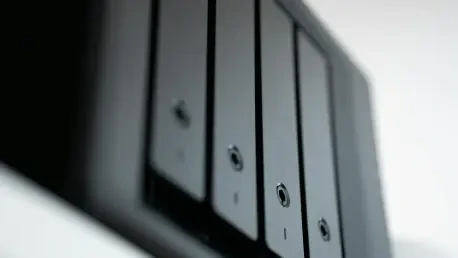
The decision to migrate away from commercial cloud providers often starts with a fundamental understanding of the specific equipment needed to replace such expansive services. A Network Attached Storage, commonly referred to as a NAS, serves as a dedicated appliance designed specifically for the high-efficiency storage and rapid retrieval of data across a local network. Unlike a general-purpose computer, a NAS is engineered to operate with minimal power consumption while providing maximum uptime, essentially acting as a private, centralized hard drive accessible to every authorized device within a household or office. This storage-first philosophy prioritizes data integrity and accessibility above all else, making it an ideal entry point for users who primarily wish to archive massive photo libraries or back up multiple laptops without the recurring costs of a standard cloud subscription. Many modern NAS units come with pre-configured software that simplifies the setup process, allowing even non-technical users to manage their files through intuitive web interfaces that mimic the ease of use found in professional cloud environments. However, the specialized nature of these devices means they often lack the processing power required for more intensive background tasks, positioning them as specialized storage silos rather than versatile workstations.
In sharp contrast, a home server represents a more robust and general-purpose computing environment where storage is merely one component of a much broader operational capability. While a NAS is built to hold data, a home server is built to act upon it, utilizing more powerful processors to run active applications such as private web hosts, home automation controllers, or dedicated game servers. This “task-first” machine offers a versatile platform for users who want to do more than just store documents; it allows for the hosting of entire ecosystems that can replace specialized services like smart home hubs or media management platforms. The flexibility of a home server means it can evolve alongside the needs of the user, starting as a simple file repository and eventually growing into a complex nerve center for a fully connected digital life. Because these machines are typically repurposed from existing desktop PCs, they often possess significantly more “compute” headroom than a retail NAS unit, enabling them to handle multiple simultaneous users and heavy workloads without stuttering. Choosing between these two paths depends largely on whether the objective is a simple replacement for a cloud drive or the creation of a private, localized version of the internet that provides services beyond mere file hosting.
Dispelling Hardware Performance Myths: The Reality of Modern Requirements
One of the most persistent barriers preventing people from building their own server is the misconception that modern data management requires the latest and most expensive computer components. In reality, the hardware requirements for a highly functional home server are surprisingly modest, largely because server operating systems are stripped of the resource-heavy graphical interfaces and bloatware that bog down consumer laptops. A system featuring a decade-old architecture, such as a 3rd-generation Intel Core i5 processor, remains remarkably capable of handling the background tasks associated with file sharing and basic application hosting. These legacy processors were built for endurance and high-throughput tasks, and when freed from the demands of modern high-resolution gaming or 4K video editing, they provide more than enough performance for a household’s data needs. This reality allows users to rescue older machines from landfills and give them a second life as high-performance servers, directly contradicting the planned obsolescence narrative pushed by many hardware manufacturers. By focusing on the efficiency of the software stack rather than the raw clock speed of the hardware, it is possible to build a system that rivals professional cloud speeds at a fraction of the power and cost.
While the processor requirements are often overstated, the true performance gatekeeper in a self-hosted environment is the system memory, or RAM. As a home server transitions from being a simple file cabinet to a machine that runs multiple “containerized” applications—such as media streamers, ad-blockers, or private messaging platforms—the consumption of RAM scales rapidly. Each application requires its own dedicated slice of memory to operate smoothly and prevent system-wide crashes, making RAM the most critical component for long-term stability. A functional baseline for a modern home server is generally considered to be 8GB, but moving to 16GB or 32GB represents the true “sweet spot” for maintaining high performance under multi-tasking loads. This upgrade ensures that the server can handle peak usage periods, such as when one family member is streaming a high-definition movie while another is performing an automated backup of their mobile device. Investing in high-quality memory modules is often a more effective strategy for server longevity than chasing the latest CPU, as it allows the system to remain responsive even as more services are added over time. The ability to easily upgrade these components in a repurposed PC further highlights the advantage of the home server over the locked-down hardware of commercial NAS units.
Software and Data Integrity
Choosing the Right Operating System: Stability and Efficiency
The operational success of a home server is dictated by the choice of its operating system, which serves as the bridge between the physical hardware and the data it protects. While many users are tempted to stick with Windows due to its familiarity, it is generally considered an inferior choice for a dedicated server environment because of its heavy background resource consumption and the frequent, mandatory updates that can cause unexpected downtime. Instead, the self-hosting community has converged on specialized Linux-based distributions that prioritize uptime and security above all else. Platforms like TrueNAS Scale have emerged as the leading solutions for those who want a professional-grade experience without the steep learning curve of a traditional command-line interface. These operating systems provide a user-friendly graphical dashboard for managing massive amounts of data while simultaneously supporting “containers”—isolated virtual environments that allow different applications to run independently of one another. This modular approach is essential for stability; it ensures that if a specific application like a Minecraft server crashes or becomes unstable, the core file system remains isolated and secure, preventing any risk of data corruption or total system failure.
Alternative operating systems like Unraid or OpenMediaVault offer different philosophies that appeal to various user needs, such as the ability to mix and match hard drives of different sizes and speeds. Unraid, for instance, is highly praised for its flexibility, allowing users to expand their storage capacity incrementally by simply plugging in whatever drives they have on hand, whereas more traditional systems often require identical drives for optimal performance. These platforms are designed to be “headless,” meaning they are controlled remotely from another computer’s web browser, which allows the server hardware itself to be tucked away in a closet or basement without the need for a monitor or keyboard. This lack of a graphical interface on the server itself saves significant amounts of power and processing cycles, dedicating every ounce of the machine’s energy to the core tasks of data management and application hosting. Regardless of the specific platform chosen, the ultimate goal is to create a “bloat-free” environment that functions as a reliable, always-on utility. By selecting a system that focuses on open-source transparency and community-driven security patches, users can ensure their private cloud remains robust against both hardware errors and external digital threats.
Implementing Protective Storage Strategies: Redundancy and Scale
Transitioning away from a professional cloud service means the user must assume the responsibility for data safety that was previously handled by a tech giant’s massive data centers. This is primarily achieved through the implementation of RAID, or Redundant Array of Independent Disks, which is a technology that distributes data across multiple drives to protect against the inevitable physical failure of a hard disk. For the majority of home server deployments, RAID 1—commonly known as mirroring—is the gold standard for balancing simplicity and protection. In a RAID 1 configuration, the system writes every piece of data to two identical hard drives simultaneously; if one drive experiences a mechanical failure, the second drive contains a perfect, bit-for-bit copy of the data, allowing the server to continue operating without any loss of information. This safety net provides peace of mind that a single hardware malfunction will not result in the permanent loss of years of family photos or critical work documents. While this strategy effectively requires the purchase of twice as much storage as one intends to use, the falling cost of high-capacity hard drives makes this a far more economical long-term investment than paying for tiered cloud storage for a decade.
The physical nature of a home server allows for a level of scalability that cloud providers simply cannot match without significantly increasing their monthly fees. A modest 3TB mirrored setup can easily exceed the capacity of most mid-tier cloud plans, and as the user’s data needs grow, the process of expansion is as simple as replacing the old drives with larger ones. Unlike subscription services, which often jump from a few dollars to a significant monthly expense once a certain storage threshold is crossed, a home server allows for a one-time capital expenditure that provides years of service. This approach also eliminates the “storage anxiety” that often accompanies cloud usage, where users are forced to constantly delete old files or lower the quality of their photo backups to stay within a specific price bracket. By owning the physical infrastructure, the user gains the freedom to store high-resolution, uncompressed media without penalty, ensuring that their digital archive remains in its original, highest-quality state. This shift from a rental model to an ownership model not only secures the data against hardware failure but also secures the user’s financial future by capping the costs of digital growth.
Connectivity, Utility, and Financial Gains
Securing Remote Access and Mobility: The Private Cloud Experience
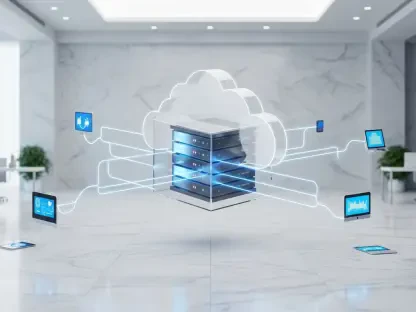
The primary advantage that kept users tied to commercial cloud services was the convenience of accessing files from a smartphone or laptop while away from home. Replicating this capability securely is the most critical technical hurdle in the self-hosting journey, as simply opening a home network to the internet is a major security risk that invites hacking attempts. To solve this, savvy users employ modern VPN protocols like WireGuard, which creates a secure, encrypted “tunnel” between a remote device and the home server. This technology allows a user sitting in a coffee shop halfway across the world to access their files as if they were sitting in their own living room, all while keeping the server itself invisible to the public internet. This method provides the same “anywhere” convenience of a service like iCloud but with a much higher degree of privacy, as no third party ever has the opportunity to intercept or scan the data as it moves through the network. Building this private bridge ensures that the home server is not just a localized storage box, but a true personal cloud that follows the user wherever they go.
Because most residential internet service providers change a home’s IP address periodically, maintaining a consistent connection to a home server requires the use of Dynamic DNS, or DDNS. This service acts as a digital phonebook, linking a fluctuating numerical address to a consistent, easy-to-remember domain name such as “myserver.hostname.com.” Whenever the internet provider changes the home’s address, the DDNS client on the server automatically updates the record, ensuring that the user never loses access to their data. This system, combined with a secure VPN, effectively bridges the gap between a stationary machine in a closet and a global service. It provides a level of professional-grade connectivity that was once reserved for large corporations, now made accessible to anyone with a spare PC and a basic understanding of networking. These steps ensure that the transition to a home server does not come at the cost of mobility or ease of use, proving that a private, self-managed solution can be just as flexible and reliable as the multi-billion dollar platforms it replaces.
Expanding the Server’s Functionality: Beyond Simple File Storage
A well-configured home server quickly evolves beyond its initial role as a storage drive and begins to function as a comprehensive digital ecosystem that can replace a dozen different paid services. Applications such as Jellyfin or Plex allow users to host their own private streaming services, providing high-definition access to movie and music libraries across all household devices without the frustration of rotating content licenses or rising subscription fees. By maintaining a local library of media, the user is no longer at the mercy of streaming platforms that may remove a favorite film or show without warning. Furthermore, specialized tools like Pi-hole can be installed on the server to act as a network-wide DNS sinkhole, effectively blocking advertisements and tracking scripts for every single device connected to the home Wi-Fi. This not only cleans up the browsing experience on smartphones and smart TVs but also increases overall network speed and security by preventing malicious scripts from ever reaching a device. This type of utility is something that no commercial cloud storage provider offers, highlighting the massive added value of owning the hardware.
The financial and practical implications of this multi-functional approach are profound, as a single server can consolidate the features of Google Workspace, Netflix, and various security tools into one machine. Productivity suites like Nextcloud provide open-source alternatives for managing calendars, contacts, and collaborative document editing, allowing a household to fully exit the big-tech ecosystem without losing any modern functionality. Over a period of several years, the elimination of these various monthly fees resulted in savings that reached into the hundreds or even thousands of dollars, easily covering the initial cost of hard drives and the marginal increase in electricity usage. Beyond the financial ROI, this transition promoted a more sustainable approach to technology by extending the lifespan of electronics that would have otherwise been discarded. Ultimately, the home server provided a sense of digital independence and peace of mind that was unattainable through a rental model. By taking the time to set up a private infrastructure, individuals successfully transformed their digital lives into a secure, self-sustaining, and highly efficient environment that remained entirely under their own control.