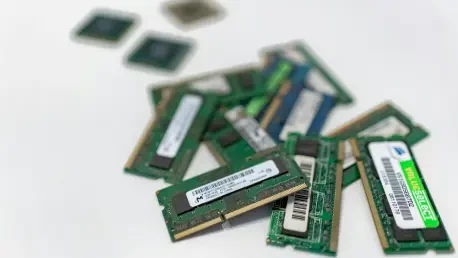

The global hardware market is currently navigating a period of significant volatility as memory prices have reached levels that force many users to reconsider their upgrade strategies. With the rapid expansion of generative artificial intelligence and shifting economic conditions from 2026 to 2028, the cost of high-speed DDR5 and even older DDR4 modules has remained stubbornly high for the average consumer. This financial barrier creates a challenging environment for those looking to breathe new life into aging workstations or seeking to optimize budget-friendly laptops that shipped with minimal specifications. While the demand for more memory continues to grow alongside increasingly complex software, the reality of hardware procurement has become a balancing act between fiscal responsibility and the technical necessity of maintaining a responsive computing environment. Consequently, many are looking toward software-based optimizations to bridge the gap between their current hardware limitations and the rising requirements of modern operating systems.
The persistent affordability crisis in the PC component sector has naturally led to a renewed interest in secondary performance-enhancing techniques that do not require an immediate financial layout. Since the beginning of the year, hardware analysts have observed that while professional-grade components continue to see incremental price drops, the consumer retail market still faces inflated costs that make a simple RAM swap feel like a major investment. For students, remote workers, and casual users, the prospect of spending hundreds of dollars on a hardware refresh is often unfeasible, especially when the device in question might be nearing the end of its projected lifecycle. This economic reality has positioned virtual memory as a vital, if misunderstood, tool for extending the usability of existing hardware. By leveraging available storage space to mimic the functions of physical memory, users can often bypass the immediate need for a hardware purchase, provided they understand the inherent trade-offs between cost savings and raw execution speed.
1. The Mechanics of Virtual Memory Systems
Virtual RAM, frequently referred to as a paging file or virtual memory, operates as a sophisticated resource management feature within modern operating systems to extend the capabilities of the hardware. At its core, this technology allows a computer to designate a specific portion of its solid-state drive or hard disk to act as a temporary overflow area for data that would typically reside in the physical RAM. When the system detects that the high-speed physical memory is nearing its capacity, the operating system’s memory manager begins moving less active data “pages” to this reserved space on the storage drive. This process creates a functional illusion of a much larger memory pool, allowing the computer to keep more applications open simultaneously without immediately triggering “out of memory” errors or forced software terminations. While this mechanism is invisible to the average user, it serves as a critical safety net that prevents system crashes during heavy multitasking sessions on machines with limited resources.
Although the concept of expanding memory through storage sounds like a definitive solution to hardware limitations, it is essential to view virtual RAM as a specialized management tactic rather than a permanent hardware replacement. The primary purpose of this feature is to provide a temporary performance buffer that ensures system stability when the physical limits of the motherboard’s DIMM slots are reached. In the context of 2026 computing, where even basic web browsers can consume gigabytes of data, virtual memory acts as an architectural bridge that prevents the entire software stack from collapsing under its own weight. However, because storage drives are designed for long-term data retention rather than the lightning-fast cycles required for active processing, the “extra” RAM provided by this method lacks the fundamental agility of physical silicon. It is a strategic tool designed for endurance and stability, offering a way for lower-end machines to handle modern workloads that would otherwise be impossible to execute on restricted hardware configurations.
2. Analyzing the Performance Gap Between Hardware and Software
The most significant hurdle when relying on virtual memory is the massive disparity in data transfer speeds between dedicated RAM modules and standard storage interfaces. To understand the scale of this difference, one must look at the raw throughput: a standard DDR4 memory kit can easily achieve bandwidth speeds of approximately 19,200 MB/s, whereas even a high-end PCIe 4.0 NVMe SSD typically peaks around 6,700 MB/s. This means that even the fastest storage technology available to consumers is nearly three times slower than older generations of physical memory. When the operating system is forced to fetch data from the storage drive instead of the RAM, the delay is noticeable to the user, manifesting as stuttering, longer loading times, and a general lack of responsiveness. In high-performance scenarios like video editing or gaming, this speed bottleneck becomes a defining factor that virtual memory simply cannot overcome through software optimization alone.
Beyond simple transfer speeds, the reliance on virtual memory introduces the risk of a phenomenon known as memory thrashing, which can effectively paralyze a workstation. Thrashing occurs when the system is so starved for physical RAM that it spends more processing cycles moving data back and forth between the storage drive and the memory than it does actually executing applications. This constant “swapping” creates a feedback loop of high latency where the CPU waits for the storage drive to respond, leading to significant system lag or complete interface freezes. While modern NVMe drives have mitigated some of the worst aspects of this delay compared to the mechanical hard drives of the past, the fundamental physics of storage access still results in higher latency. Consequently, while virtual RAM provides the necessary space to keep a system running, it cannot replicate the instantaneous data access that defines a high-performance PC equipped with ample physical memory modules.
3. Optimal Scenarios for Implementing Virtual Memory
Virtual memory finds its greatest utility in the context of lightweight, budget-oriented machines where physical expandability is either limited or non-existent. For instance, many entry-level ultra-portables or specialized tablets often ship with only 8GB of soldered memory, a capacity that is increasingly insufficient for modern professional workflows. In these specific cases, activating and properly configuring virtual RAM can be the difference between a laptop that crashes when opening a tenth browser tab and one that remains functional for basic office tasks. By providing a secondary layer of resources, virtual memory ensures that background processes and inactive system services do not compete for the precious physical RAM needed by the primary application in use. This makes it an invaluable tool for students and administrative professionals who need to maintain system uptime without investing in a more expensive, high-spec machine.
The secondary benefit of maintaining a well-configured virtual memory system is the overall enhancement of operating system stability across various hardware tiers. Even on mid-range systems, the presence of a paging file helps the OS manage memory fragmentation and handle unexpected spikes in resource demand from poorly optimized software. Rather than the system simply failing when a memory leak occurs, the virtual RAM acts as a shock absorber that gives the user enough time to save their work and restart the offending application. It is particularly effective for users who engage in tasks that are “bursty” in nature—where memory usage is usually low but occasionally surges during specific operations like large file transfers or high-resolution photo exports. By leveraging the storage drive as a safety valve, the operating system can maintain a consistent user experience and prevent the data loss associated with sudden system reboots or application failures.
4. Step-by-Step Configuration for Windows 11 Systems
Step 1: Accessing advanced properties. To begin the process of manually configuring virtual memory on a Windows 11 device, the user must first navigate to the deep system settings that are not found in the standard modern interface. Start by clicking the search icon on the taskbar and typing “View advanced system settings,” then select the corresponding result to open the System Properties window. Once this small dialog box appears, navigate to the “Advanced” tab, which is located at the top of the window among other system categories. Within this tab, look for the “Performance” section and click on the “Settings” button to open a secondary window dedicated to visual effects and memory usage. This path ensures that the user is accessing the core environmental variables that govern how the Windows kernel interacts with the physical and virtual hardware layers during active operation.
Step 2: Modifying the paging file. After opening the Performance Options window, click on the “Advanced” tab once more and locate the “Virtual memory” section near the bottom of the dialog. Click the “Change” button to bring up the configuration screen where the actual adjustments are made. The first and most important step here is to uncheck the box at the top labeled “Automatically manage paging file size for all drives,” which grants the user manual control over the allocation. Select the fastest available drive from the list—usually the C: drive if it is an NVMe SSD—and choose the “Custom size” radio button. Enter an initial size that is roughly equal to the current recommended value provided by Windows, and set a maximum size that is approximately two to three times that amount to allow for growth. To finalize these settings, click “Set,” followed by “OK” on all open windows, and then restart the computer to allow the OS to initialize the new memory structure.
5. Strategic Considerations for Disabling or Reverting Settings
While some enthusiasts suggest that disabling virtual memory entirely can improve performance by forcing the system to stay within the faster physical RAM, this practice is generally discouraged by modern engineering standards. Operating systems like Windows are built with the assumption that a paging file exists, and removing it can lead to erratic behavior even on systems with 32GB or 64GB of physical memory. Without a designated area to move low-priority data, the system may run out of addressable space for certain kernel operations, leading to “Blue Screen of Death” errors or the inability to generate crash dumps for troubleshooting. If a user finds that their manual settings are causing instability or excessive disk wear, the most prudent course of action is to return to the Virtual Memory window and re-enable the “Automatically manage” option, allowing the OS to recalibrate based on current needs.
The transition back to automatic management ensures that the system can dynamically adjust its resource allocation as software requirements evolve over time. For those using Apple hardware, it is important to note that macOS handles these processes through a system called “secure virtual memory,” which is inherently encrypted and managed by the kernel without user intervention. Unlike the granular control offered by Windows, Apple’s approach prioritizes security and seamless operation, preventing users from manually resizing or disabling the paging file. This design choice reflects a broader industry trend toward self-optimizing systems that reduce the risk of user-induced instability. Whether on Windows or macOS, the goal is to maintain a symbiotic relationship between high-speed physical chips and the larger, slower storage capacity of the drive to ensure that the computer remains a reliable tool for both intensive creative projects and daily administrative tasks.
The strategic implementation of virtual RAM served as a vital bridge for users navigating the high hardware costs that characterized the past several months of the computing landscape. By understanding the technical limitations of storage-based memory compared to physical silicon, individuals were able to optimize their existing machines for better stability without the immediate need for expensive upgrades. Moving forward, the most effective approach involves maintaining a balanced configuration where virtual memory acts as a safety net rather than a primary resource. As software continues to demand more from hardware, users should prioritize physical RAM for performance-critical tasks while using virtual memory to manage background processes and system overhead. This dual-layered strategy ensures that even older devices remain productive, provided that the storage drives used for paging are kept in good health and the operating system is allowed to manage resources within safe, manufacturer-recommended parameters.