
The rapid evolution of smartphone camera technology has led to a massive surge in file sizes, making the management of digital photos and videos a constant struggle for the average consumer. In the current landscape, the convenience of seamless synchronization across devices often comes with a steep price tag as companies phase out free tiers in favor of tiered membership models. This environment has turned data storage into a utility bill that never disappears, leading some tech-savvy individuals to hunt for architectural flaws or grandfathered policies within these ecosystems. One such anomaly resides in the first-generation Google Pixel, a device that carries a specific legal and technical exemption from the storage limits that govern modern hardware. This legacy smartphone provides a unique opportunity to exploit a hardware-based promise that was made during its initial market debut. While newer models offer better performance, they lack the specific cloud-syncing privileges that make this older unit a valuable asset for long-term media preservation today.
The Mechanics: How the Storage Privilege Works
The Hardware: Leveraging Unique Perpetual Benefits
The technical foundation of this workaround relies on the specific terms of service established when the first Google Pixel arrived on the market. Unlike every subsequent model released by the company, the 2016 original was sold with an explicit guarantee of lifetime, unlimited backups at “Original Quality” for the life of the device. This means that any media uploaded through the Google Photos application on this specific hardware is exempt from the standard 15GB account quota, regardless of the file size or the resolution of the video. Even as the cloud giant reduced the benefits for later generations, this particular device retained its unique status because the privilege is hard-coded into the hardware identification process. Because the servers recognize the specific metadata and hardware signatures of the 2016 model, they automatically categorize these uploads as non-billable events. This creates a powerful incentive for users to maintain these aging phones as they represent one of the few ways to achieve cloud storage without cost.
The Workflow: Implementing a Reliable Data Bridge
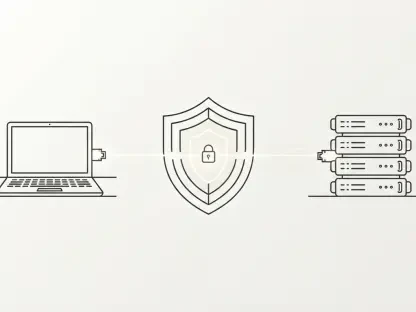
Successfully utilizing this hardware-locked benefit requires a shift in how one approaches the standard photo-taking and backup routine on a day-to-day basis. Since the storage perk is tied strictly to the physical 2016 device, photos taken on a modern smartphone must be moved to the older hardware before they can be synchronized with the cloud. This results in a “relay” or “bridge” configuration where the primary device serves as the capture tool, while the legacy phone acts as the dedicated server for data transmission. This workflow prevents the user from simply hitting “upload” on their current flagship phone, which would immediately trigger a reduction in their available storage quota. Instead, the files must be transferred via physical cables, memory cards, or local network protocols to ensure they originate from the Pixel during the final sync phase. While this adds a layer of complexity to the backup process, the financial savings over several years make the extra steps worthwhile for those managing large amounts of 4K video content.
Practical Application: Managing Challenges and Setup
Physical Hurdles: Addressing Aging Device Limitations
Maintaining a decade-old smartphone presents significant physical challenges that can complicate the storage process for those who are not prepared for hardware degradation. These devices frequently suffer from severely diminished battery health, meaning they often need to remain tethered to a power source at all times to avoid sudden shutdowns during large data transfers. Furthermore, the internal components of the original Pixel were not designed for the sustained thermal loads required to upload massive video libraries over modern high-speed networks. Without proper management, the phone can overheat, leading to thermal throttling that drastically slows down the backup speed or even causes the system to crash. Users have found that placing the device on a specialized cooling pad or in a well-ventilated area is essential for maintaining stability during long-running tasks. Additionally, the limited internal storage of the base models means that users must frequently purge uploaded files to make room for the next set of data to be processed for the cloud.
Digital Efficiency: Utilizing Advanced Automation Tools
To alleviate the burden of manual file management, many power users have turned to sophisticated automation tools that bridge the gap between their primary devices and the older hardware. Applications such as Syncthing or FolderSync can be configured to monitor the gallery folders on a modern smartphone and automatically push new captures to the Pixel whenever both devices are connected to the same Wi-Fi network. This “set and forget” architecture effectively transforms the 2016 phone into a headless home server that quietly processes data in the background without requiring constant human intervention. Once the files arrive on the legacy device, the Google Photos app initiates the backup process to the cloud, utilizing the unlimited privilege. Some advanced configurations even include scripts that delete the local copies on the Pixel once the cloud backup is confirmed, ensuring that the limited internal storage space never becomes a bottleneck. By integrating these software solutions, the aging phone becomes a seamless extension of the user’s digital ecosystem without cost.
Strategic Longevity: Longevity and Risk Assessment
Corporate Policy: Why the Benefit Remains Active
A significant point of discussion within the technology community centers on whether Google will eventually find a way to terminate this specific hardware-based loophole to drive more revenue. However, there are compelling economic and legal reasons why this benefit is likely to persist as long as the physical units remain operational. The number of functional 2016 Pixel devices in the wild is continuously shrinking due to component failure and physical attrition, meaning the total cost to Google for maintaining these backups is negligible in the context of their global data center operations. Shutting down a feature that was marketed as a lifetime benefit could also lead to significant public relations backlash or even legal challenges regarding consumer protection and advertising promises. Unlike software-based features that can be easily deprecated, this privilege is deeply integrated into the account management backend for this specific hardware tier. As a result, the corporation seems content to let this small group of enthusiasts continue their usage to save on cloud costs.
Future Planning: Actionable Next Steps for Data Security
Looking toward the future of personal data management, the continued success of the Pixel storage method highlighted a growing desire for ownership in an increasingly service-oriented world. Those who adopted this strategy successfully navigated the technical hurdles by implementing robust cooling solutions and automated syncing protocols to ensure their data remained safe. The realization that legacy hardware could serve a vital function in a modern ecosystem prompted many to rethink the disposal of older electronics in favor of repurposing them for specialized tasks. To ensure maximum reliability, users prioritized the maintenance of hardware cooling and utilized secondary local backups to complement the cloud. This multifaceted approach provided a blueprint for bypassing subscription costs while maintaining high standards for digital resolution. By securing these devices and integrating them into home networks, enthusiasts created a sustainable alternative to recurring fees. Ultimately, this era of technical ingenuity proved that with effort, individuals reclaimed their data control.