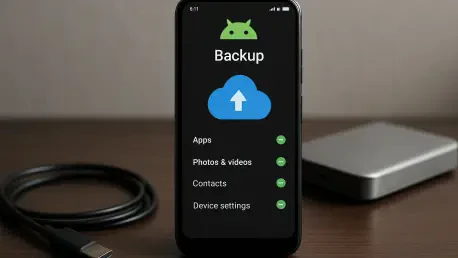

The era of unrestricted cloud storage for mobile system data has quietly ended as Google integrates previously exempt backup categories into the standard 15GB allowance. For several years, Android users enjoyed a buffer where system settings and application data did not impact their storage quota. However, recent policy updates have brought these elements into the fold, joining Gmail and Google Drive as components of the shared storage pool. This modification follows a pattern established with the inclusion of WhatsApp backups, indicating a comprehensive strategy to monitor user data stored on the cloud. While the 15GB limit remains the baseline, the definition of what fills that space has expanded, requiring users to become more mindful of their digital footprints. This shift represents a fundamental change in how the operating system manages lifecycle data and cloud-based redundancy. These adjustments reflect a broader trend toward the monetization of cloud synchronization services.
Storage Oversight: Categorizing the Impact of System and Application Data
Device settings, call logs, and SMS messages are the primary targets of this policy update. In the past, these were seen as essential overhead that the platform absorbed to ensure user retention and ease of hardware upgrades. By including them in the storage count, Google ensures that Wi-Fi passwords, display preferences, and even specific wallpaper settings are now accounted for through the storage cap. Although these files are largely text-based and heavily compressed, their presence in the storage tally adds a layer of complexity for users who are already hovering near the limit. App data, which consists of the internal configurations and saved states of installed programs, adds another layer of accounting. This includes everything from game progress to login tokens and custom interface layouts. This change effectively ends the distinction between user-generated content and system-generated metadata, forcing a more cautious approach to storage consumption within the ecosystem.
Despite the initial alarm surrounding these changes, the physical footprint of most device backups is surprisingly modest. Technical estimates suggest that the average Android user will see an increase of only about 40MB in their total storage usage from these system files. This amount is roughly equivalent to the size of a single 4K video clip or several high-resolution photographs, making it a drop in the bucket for those with substantial free space. Nevertheless, the value of this data is immense when it comes to the seamless transition between mobile devices. A “set it and forget it” migration experience depends entirely on these backups, allowing a new phone to mirror the old one almost instantly. Because the data involved is mostly metadata and small configuration files, the impact on storage is often reported as low as 0.1GB for the majority of the user base. The focus here is less on the volume of data and more on the policy shift itself, which signals an end to unmetered cloud utilities.
Digital Maintenance: Strategic Methods for Managing Limited Storage Resources
Proactive management has become a necessity for anyone wishing to avoid the costs of a monthly subscription. Users can access their backup configurations through the device settings under the accounts and backup menu to identify which applications are contributing the most to their cloud storage total. This transparency allows for granular control, where specific non-essential apps can be excluded from the backup process entirely. For example, a gaming app that already syncs progress through its own servers does not need to be part of the general Android backup, saving valuable kilobytes. Curating this list ensures that only critical information, such as communication logs and security settings, occupies the limited 15GB space. Taking the time to audit these settings every few months prevents the accumulation of digital clutter that can slowly erode available storage. This manual oversight is the most direct way to maintain a free account without sacrificing integrity or losing vital information.
While system backups are small, media files remain the primary cause of storage exhaustion and require different optimization strategies. High-resolution photos and videos are the most significant contributors to a full account, and adjusting Google Photos to “Storage saver” mode is a highly effective mitigation tactic. This setting applies efficient compression that preserves visual quality while drastically reducing the file size of the media library. Furthermore, the decision to count WhatsApp backups against the quota means that users should consider disabling video inclusions in their chat backup settings. Large email attachments in Gmail and forgotten files in the trash folders of Google Drive also deserve regular attention. By executing these simple housekeeping tasks, users can reclaim gigabytes of space that would otherwise be lost to redundant or unnecessary files. This holistic approach to data management ensures that the 15GB limit remains viable for the long term for diligent users.
Market Evolution: Navigating the Shift Toward Subscription-Based Cloud Services
Industry analysts view these incremental storage policy changes as a sophisticated nudge toward the Google One subscription model. By slowly integrating previously free data categories into the 15GB limit, the threshold for staying on the free tier becomes harder to maintain for power users. While 40MB of system data will not be the deciding factor for most people, the cumulative effect of including WhatsApp messages, high-resolution media, and device settings makes the paid tiers appear more convenient. The psychological barrier to paying for storage is often lowered when the alternative is constant manual data maintenance. This reflects a broader industry trend where seamless synchronization and data redundancy are increasingly treated as premium features rather than basic rights of the platform. The transition highlights a shift in the business model from providing free infrastructure to charging for the convenience of an automated digital life. This evolution marks a significant turn in user-service provider relations.
The implementation of these storage rules forced a reevaluation of how digital assets were managed on a daily basis. Users who prioritized long-term efficiency adopted a more disciplined approach to cloud hygiene, ensuring that only essential information remained synchronized across their devices. This shift encouraged the use of local backups and alternative storage solutions for less critical data, reducing the collective reliance on a single cloud provider. Moving forward, the focus eventually shifted toward more intelligent, AI-driven compression and storage optimization tools that automatically identified and removed redundant files from the ecosystem. Those who mastered these management techniques found that the 15GB limit was still manageable, provided they stayed informed about policy changes. The industry eventually moved toward a model where users had more granular control over their data footprints, fostering a more sustainable digital environment. Adapting to these changes became a standard part of device ownership.