
The persistent cycle of downloading resources to a local machine before re-uploading them to the cloud remains a major interruption in modern document management. This repetitive procedural hurdle, often described as digital friction, forces professionals to divert their cognitive energy away from substantive tasks to perform mundane logistical actions. While Google Drive has established itself as the core of the 2026 digital workspace, its native web interface still requires manual interventions that can slow down high-velocity workflows. The necessity of switching between tabs, managing local storage, and navigating complex file hierarchies often degrades the user experience. To combat this, a strategic selection of browser extensions has emerged, transforming the cloud repository into a dynamic, integrated command center that functions as a natural extension of the browsing experience itself.
The current trend in professional efficiency focuses on the “single-pane-of-glass” management philosophy, where every essential tool is accessible without leaving the primary work environment. By integrating specialized extensions, users can bridge the functional gaps between their web browser, email client, and local file systems. This approach not only saves time but also preserves the “deep work” state required for complex analysis and creative production. In an era where data is decentralized across various platforms, the ability to centralize operations within a unified browser context is no longer a luxury but a strategic necessity. By automating the movement and organization of information, these digital enhancements ensure that Google Drive evolves from a passive storage locker into an active, high-speed workspace.
Streamlining Content Collection and File Viewing
Direct Web Integration: Seamless Resource Saving
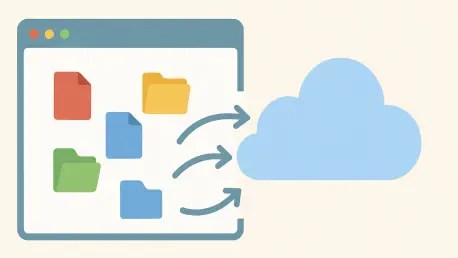
One of the most persistent interruptions in a modern digital workflow is the manual transition of data from the open web to a secured cloud environment. When a researcher or project manager identifies a critical asset, such as a high-resolution image, a technical PDF, or a data-heavy webpage, the traditional path involves a multi-step download and upload process. This method is inherently flawed, as it clutters the local machine with temporary files and introduces a significant delay in document organization. The “Save to Google Drive” extension effectively short-circuits this cycle by embedding cloud-saving capabilities directly into the browser’s contextual menu. With a simple right-click, users can bypass the local hard drive entirely, sending resources directly to a predefined folder within the cloud ecosystem.
Furthermore, the versatility of these integration tools allows for the capture of diverse content formats with high fidelity. Beyond simple file transfers, these extensions can convert live webpages into editable Google Docs or static PNG images, depending on the user’s specific needs for archival or collaboration. This capability is particularly valuable for capturing transient data, such as market trends or live news updates, which may change shortly after being viewed. By pre-defining target folders for specific projects, users can ensure that their “My Drive” root remains organized and free of the typical chaos associated with rapid data collection. This level of automation transforms the browser into a proactive research tool, where information is categorized and synchronized across all connected devices the moment it is encountered.
Instant Previews: Eliminating Unnecessary Downloads
Efficiency in a fast-paced environment is often hampered by the lack of immediate visibility into file contents. Users frequently find themselves in a situation where they must download a document or a compressed archive just to verify its relevance to a current project. The “Open with Google Drive Viewer” extension addresses this bottleneck by leveraging a robust internal viewing engine directly within the browser tab. This tool allows for the immediate inspection of Microsoft Word documents, Excel spreadsheets, and even complex ZIP files without requiring the user to commit the data to their local disk. This no-download workflow is especially beneficial for security-conscious professionals who wish to vet the contents of a file in a sandboxed cloud environment before performing any local interactions.
The broader utility of this preview functionality lies in its support for an extensive array of file formats, ranging from legacy Office documents to modern code files like JavaScript or JSON. By providing a secure and immediate window into the file’s content, the extension enables users to make rapid decisions about data management. If a document is deemed necessary for long-term storage, it can be archived to the cloud with a single click, maintaining a pristine local environment. This process minimizes the cognitive load associated with managing multiple open windows and local file explorers. In the high-stakes environment of 2026, where the speed of information processing is a competitive advantage, the ability to view and sort data instantaneously serves as a critical performance multiplier for any cloud-based professional.
Enhancing Compatibility and Communication
Microsoft Office Integration: Bridging Format Gaps
Despite the pervasive adoption of cloud-native solutions, the global professional landscape remains heavily reliant on legacy Microsoft Office formats. This creates a significant interoperability challenge for teams operating primarily within Google Workspace. The “Office Editing for Docs, Sheets & Slides” extension serves as a vital technological bridge, allowing users to interact with Excel, Word, and PowerPoint files as if they were native cloud documents. By enabling a drag-and-drop interface within the browser, the extension permits immediate editing of these files without the need for time-consuming conversions. This functionality is essential for maintaining a fluid workflow when receiving attachments from external partners or legacy systems that do not utilize Google’s internal formats.
A critical advantage of this integration is its ability to preserve the original file format during the editing process, thereby preventing “versioning debt” and formatting inconsistencies. When a user modifies an Office file through this extension, the changes are saved directly back into the original format, ensuring that collaborators who utilize different software suites can still access the data without error. This hybrid flexibility allows organizations to transition toward cloud-native workflows at their own pace while remaining fully compatible with the broader market. By removing the technical barriers between competing software ecosystems, the extension fosters a more inclusive and efficient collaborative environment where the focus remains on the content of the work rather than the limitations of the file type.
Email Archival: Centralizing Project Communications
Communication and documentation often exist in separate silos, with critical project details trapped within long Gmail threads while the relevant files reside in Google Drive. This fragmentation can lead to significant administrative overhead when attempting to reconstruct a project’s history or audit a specific decision-making process. The “Save Emails to Google Drive” extension by cloudHQ resolves this issue by creating a permanent, searchable link between a user’s inbox and their cloud storage. By converting important correspondence into standardized PDF or EML formats, the tool ensures that receipts, legal contracts, and strategic itineraries are archived in a centralized project folder. This synchronization allows all stakeholders to access the latest communications without the need for cumbersome forwarding chains.
The implementation of such an archival system provides a level of administrative oversight that is often missing from traditional email management. Once a one-time configuration is established, the process of saving a thread becomes a single-click action within the Gmail interface. This proactive approach to documentation ensures that a comprehensive audit trail is maintained in real-time, reducing the risk of lost information during personnel transitions or project handovers. By treating email as a formal document rather than a transient message, organizations can enhance their transparency and collaborative efficiency. This integration of communication and storage reflects a move toward a more holistic digital infrastructure, where the boundaries between different Google services are virtually eliminated for the sake of operational clarity.
Optimizing Management and Idea Capture
Dashboard Control: Real-Time Drive Monitoring
For power users who manage hundreds of active files across multiple shared drives, the standard navigation experience can become a source of significant delay. Constantly switching back to a dedicated Google Drive tab to search for a file or check for updates interrupts the natural flow of work. “Checker Plus for Google Drive” mitigates this issue by providing a streamlined management interface that lives directly within the browser’s toolbar. This compact popup menu allows users to search, rename, delete, and organize their cloud files without ever leaving their current webpage. This reduction in tab-switching not only saves time but also lessens the cognitive strain associated with navigating complex web applications throughout a long workday.
Beyond simple file management, the real-time notification system provided by this extension acts as a vital pulse for collaborative projects. Users receive immediate alerts when shared documents are edited, commented on, or moved, ensuring that the entire team stays synchronized without the need for constant manual checking. This proactive monitoring capability is particularly useful in the 2026-2028 timeframe, as remote and hybrid work models demand higher levels of asynchronous coordination. By providing a snapshot of recent activity and immediate access to core management functions, the extension transforms the browser into a sophisticated control center. This allows the user to remain responsive to project changes while maintaining their focus on high-priority tasks in other windows or applications.
Idea Capture: Maintaining Contextual Flow
A truly productive digital environment must account for the spontaneous nature of ideation and the need for rapid data entry. Often, a valuable thought or a quick reminder occurs while a user is focused on a completely different task, and the friction of opening a new Google Doc can cause that idea to be lost or forgotten. The “Notes” extension provides a lightweight alternative for these moments, functioning as a digital scratchpad that automatically synchronizes with Google Drive. By clicking a simple icon, users can jot down brainstorms or reminders that are instantly saved as editable documents in a dedicated folder. This ensures that every insight is preserved and categorized without requiring the user to navigate away from their primary source of information.
The integration of a mini-viewer within these note-taking tools further enhances their utility by allowing users to reference existing thoughts while browsing. This contextual access is critical for research and content creation, as it enables the user to synthesize new information with their existing notes in a single view. By keeping these “sticky thoughts” within the Google ecosystem, the extension ensures that they are searchable and accessible from any device later. This capability bridges the gap between passive consumption and active creation, turning the browser into a comprehensive thinking environment. Ultimately, the ability to capture and organize ideas the moment they arise is a fundamental component of modern productivity, ensuring that the creative process remains fluid and uninterrupted.
Advancing Workflow Synchronization
Cloud Interoperability: Breaking Down Digital Silos
In the diverse technological landscape of the current era, it is common for professionals to utilize a variety of cloud services, including Dropbox, OneDrive, or Box, alongside their primary Google Drive account. This multi-cloud reality often leads to the creation of isolated data silos, making it difficult to maintain a single source of truth for important projects. Extensions designed for multi-cloud synchronization address this by facilitating direct cloud-to-cloud transfers and folder-level mirroring. This ensures that any file saved or updated in one ecosystem is automatically reflected in another, providing essential redundancy and ensuring that all collaborators have access to the latest version of a document regardless of their preferred platform.
The movement toward interoperability reflects a broader industry shift where the user’s data is no longer locked into a single provider’s walled garden. By utilizing extensions that allow for real-time syncing between different providers, users can enjoy the specific benefits of each platform—such as Google’s collaborative editing or Dropbox’s advanced file recovery—without the burden of manual file transfers. This level of synchronization is particularly valuable for cross-functional teams that may have different IT requirements or legacy software preferences. By automating the backup and sync process, these tools remove the risk of human error and ensure that critical business data is always available across the entire digital infrastructure, supporting a more resilient and flexible operational model.
Systematic Efficiency: The Path of Integrated Workflows
The cumulative effect of implementing these various extensions was the preservation of a state of deep focus across the entire professional spectrum. By systematically removing the micro-frictions associated with manual file management, these tools allowed the user to remain focused on high-level objectives. The transition from a manual, reactive approach to an automated, proactive workflow was a defining characteristic of the 2026-2028 productivity cycle. It became clear that the true power of Google Drive was realized only when it was deeply integrated into the daily browsing habits of the user. This integration ensured that the browser served not just as a portal to the web, but as a comprehensive operating system for the modern digital worker.
Looking ahead, the evolution of these tools suggested a future where the distinction between a local machine and a cloud repository would become entirely academic. The seamless movement of data, steered by the user with minimal effort, set a new standard for what was expected from digital workspaces. Organizations that adopted these integrated strategies reported higher levels of employee satisfaction and faster project turnaround times. Ultimately, the strategic upgrade of Google Drive via browser extensions represented a shift toward a more intelligent and responsive way of working. This progression moved the focus away from the management of files and toward the generation of value, ensuring that technology served as a silent partner in the pursuit of professional excellence.