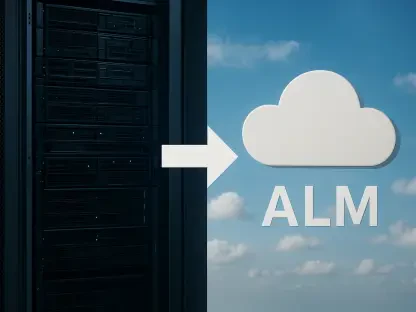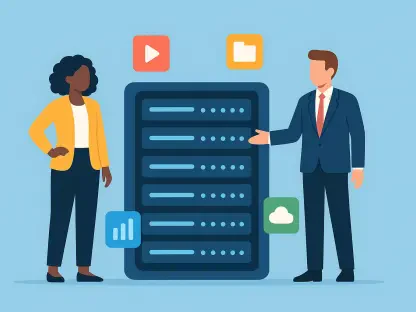

The rise of hybrid video processing models suggests an intelligent division of labor where the user’s hardware handles basic UI tasks while the cloud manages complex 3D effects. This architectural shift represents a significant departure from the early days of web-based tools, where users were forced to choose between heavy local software or slow, centralized servers. Today, the decision often centers on where the primary computational workload should reside to achieve the best balance of speed and reliability. When a user initiates a video edit, a silent negotiation occurs between the local browser and remote infrastructure. Browser-based processing utilizes the machine’s internal resources via WebAssembly, keeping files local. Conversely, cloud-based systems ingest the data and distribute it across industrial-grade server farms. This distinction is not merely technical but fundamentally alters the user experience, professional output quality, and data safety during the entire creative process.
Analyzing Speed and Technical Performance
Local Execution: High-End Hardware Performance
The speed of a video project is a constant tug-of-war between the strength of a user’s computer and the stability of their internet connection. For those who possess high-performance workstations or modern gaming laptops equipped with dedicated graphics cards, local processing is usually the fastest route. By utilizing the browser as a container for heavy computational tasks, the system skips the time-consuming steps of uploading and downloading massive files. In a professional environment where 4K or 8K footage is the standard, the time saved by avoiding a several-gigabyte upload often outweighs any speed advantage a remote server might offer. The bottleneck shifts from the processor to the internet service provider, making local execution far more predictable for users with limited bandwidth.
WebAssembly technology allows modern browsers to execute code at near-native speeds, enabling complex color grading and real-time playback without the need for traditional software installations. This efficiency means that once the assets are loaded into the browser’s memory, the editing experience feels instantaneous. There is no latency between moving a slider and seeing the result on the screen, which is critical for creative precision. For editors working on tight deadlines from 2026 to 2028, the ability to bypass the “waiting for upload” phase provides a significant competitive advantage. As local CPUs become more specialized with integrated AI accelerators, the gap between consumer hardware and remote server farms continues to narrow for standard editing tasks.
Cloud Scalability: Remote Server Advantages
Cloud processing shines brightest when the user’s own device is intentionally or unintentionally underpowered. For individuals using basic Chromebooks, aging tablets, or ultra-portable laptops, the local hardware would likely struggle to render even a simple 1080p timeline. While the overhead of moving data across the web remains a notable disadvantage, the sheer computational power of a server farm can render complex effects much faster than any consumer-grade machine. When a project requires immense calculations, such as multi-layered AI-driven upscaling or the removal of dynamic objects from a scene, the cloud’s specialized hardware infrastructure often completes the task in a fraction of the time a local machine would take.
Beyond raw power, the cloud offers a level of scalability that local hardware cannot match through parallel processing. When a user clicks “render” on a cloud-based platform, the workload can be distributed across dozens of virtualized GPUs simultaneously. This means a thirty-minute video might be split into segments and processed in parallel, drastically reducing the final export time. This method is particularly effective for high-volume content creators who need to generate multiple versions of a single video for different social media platforms. By offloading these resource-intensive tasks to the cloud, the user’s local machine remains free for other productive activities, preventing the total system slowdowns that often occur during intensive local rendering sessions.
Prioritizing Privacy and Data Sovereignty
Security Architecture: The Zero-Trust Foundation
Privacy is perhaps the most compelling reason to choose one method over the other, as it defines exactly who has access to sensitive footage. Local browser-based processing operates within a zero-trust environment, ensuring that the raw video files never actually leave the user’s physical device. For professionals handling sensitive legal evidence, confidential corporate prototypes, or private family moments, this method offers the highest possible level of security. By eliminating the transit of data across the internet, the user effectively removes the risk of data breaches, interception by malicious third parties, or unauthorized access during the upload and storage phases that are inherent to any cloud-based workflow.
Furthermore, local processing satisfies the increasingly strict data sovereignty laws that govern where information can be stored and processed. In many jurisdictions, certain types of sensitive data are prohibited from being sent to servers located in foreign countries. Because the browser acts only as a local interface for the machine’s own hardware, the data remains under the user’s direct control at all times. This architecture simplifies compliance for large organizations that would otherwise need to conduct extensive security audits of third-party cloud providers. By keeping the entire creative pipeline on-site, the risk of accidental exposure is minimized, providing peace of mind for editors working with high-stakes intellectual property.
Cloud Logistics: Trust and Infrastructure
Moving to a cloud-based workflow essentially involves inviting a third-party service provider into the most intimate parts of the creative process. Even though reputable services implement high-level AES-256 encryption and maintain strict deletion policies, the user must still place their trust in the provider’s underlying infrastructure and their internal handling of metadata. Users must carefully consider where their data is stored, how long it remains on the remote server after a project is completed, and whether temporary cache files are truly purged. For projects that are not sensitive, the convenience of the cloud often outweighs these risks, but it remains a calculated trade-off for those with high privacy requirements.
However, cloud providers often argue that their centralized security measures are more robust than what an individual user could maintain on a personal computer. Large-scale data centers are protected by sophisticated firewalls, physical security teams, and constant monitoring that most home offices lack. For collaborative teams, the cloud provides a centralized “source of truth” that prevents the fragmentation of project files across multiple local machines. This centralized model allows for more granular permission settings, where a project manager can control exactly who can view, edit, or export specific video assets. While the data is off-site, the management of that data is often more organized and recoverable than a purely local workflow.
Cost Efficiency and Resource Management
Financial Models: Hardware vs. SaaS
The financial impact of video processing is felt in both the initial equipment budget and the ongoing monthly operational bills. Local processing places the primary financial burden on the user’s side through the purchase of a powerful computer capable of handling modern video codecs. While this initial investment can be several thousand dollars, the marginal cost of processing a single video once the hardware is owned is almost zero. For professionals who edit content daily, owning the means of production is often the more sustainable choice, as it eliminates the recurring subscription fees that characterize the software-as-a-service market from 2026 to 2028.
Cloud processing shifts these massive infrastructure costs back to the service provider, who then passes them on to the user via tiered subscription models or pay-per-render credits. This “pay-as-you-go” approach is highly beneficial for occasional users or small businesses that cannot justify a large upfront expenditure on high-end hardware. It allows them to access industrial-grade processing power on a budget, paying only for the resources they actually consume. However, over a period of several years, these subscription costs can eventually exceed the price of a high-end workstation. Users must evaluate their long-term usage patterns to determine whether the flexibility of the cloud or the equity of local hardware provides the better return on investment.
Infrastructure Burden: Bandwidth and Quality
Beyond the direct service fees, there is a significant hidden cost associated with cloud-based video processing in the form of data usage and bandwidth limitations. If a user is on a metered internet connection or a mobile data plan, frequently uploading and downloading high-resolution video files can lead to unexpected overage charges from their internet service provider. These costs are often overlooked during the initial setup but can become a major operational expense for remote workers or those in regions with expensive data. Local processing avoids this entirely, as the only data being transferred is usually the small amount of code required to run the editing interface itself.
Furthermore, cloud services may intentionally or automatically lower the video quality or bitrate during the preview and rendering phases to save on their own bandwidth and storage costs. This can lead to a final output that does not perfectly match the editor’s original vision, particularly in terms of color accuracy and fine detail. In contrast, local processing gives the user full and absolute control over every aspect of the final output, from the specific encoder settings to the final bitrate. For those who demand pixel-perfect results and want to avoid the variability of internet-dependent workflows, the local approach ensures that the quality of the final product is limited only by the original source material and the user’s skill.
Choosing the Right Workflow for Your Needs
Strategic Selection: Determining the Optimal Path
Deciding which processing method is superior depended entirely on the specific technical environment and the nature of the content being created. Professional editors with access to high-performance workstations found that local browser-based processing offered the most responsive and secure experience, especially when dealing with massive raw files. These users prioritized the lack of upload latency and the absolute control over their data sovereignty. Conversely, those working in highly collaborative, distributed teams often found that the cloud provided a necessary bridge, allowing different stakeholders to review and comment on projects in real-time regardless of their individual hardware capabilities.
The industry realized that the “best” method was often a moving target that shifted based on project requirements. For instance, a user might have started a project on a local machine to handle the heavy initial cutting and then shifted the final rendering and AI-upscaling tasks to the cloud to free up their local resources for the next job. This fluid approach allowed creators to maximize their efficiency by matching the task to the most appropriate resource. As the technology matured, the focus shifted away from choosing one platform over the other and toward finding the right balance that respected the constraints of the user’s hardware, budget, and security needs.
Future Considerations: Implementing Hybrid Solutions
The industry ultimately moved toward a sophisticated hybrid model that combined the immediate responsiveness of local hardware with the infinite scalability of remote servers. This evolution involved browsers handling the majority of the user interface and basic editing tasks locally, while automatically offloading heavy background processes to the cloud. Organizations implemented smart workflows where low-resolution proxy files were handled by the browser for a lag-free experience, while the final high-resolution export was managed by a remote data center. This transition ensured that high-quality video editing remained accessible to a broader range of users than ever before.
To maximize efficiency, creators looked toward tools that offered this flexible architecture. The most successful professionals adopted a strategy of local-first processing for sensitive or large-scale projects, while leveraging the cloud for collaborative features and specialized AI tools. This balanced perspective allowed for a more resilient creative process that was not entirely dependent on either a single piece of hardware or a single internet connection. By understanding the strengths and weaknesses of both browser-based and cloud-based systems, users were able to build workflows that were both cost-effective and capable of meeting the rigorous demands of modern digital media production.