
Maryanne Baines is a preeminent authority in cloud technology and operating system infrastructure, specializing in the rigorous evaluation of tech stacks and large-scale product deployments. With years of experience navigating the complexities of enterprise software cycles, she has become a leading voice on the intersection of system reliability and user accessibility. Her deep understanding of how global platforms balance cutting-edge innovation with stable performance makes her an invaluable asset to organizations looking to optimize their digital environments.
The conversation explores the technical nuances of modern operating system maintenance, focusing on the recent disruptions in update delivery and the evolution of AI-driven accessibility. We discuss the internal challenges of quality assurance, the security implications of streamlining system permissions, and the delicate balance IT managers must maintain between adopting new features and ensuring hardware longevity.
When an update preview is paused because files are flagged as missing or flawed, what does this reveal about the current internal testing pipeline?
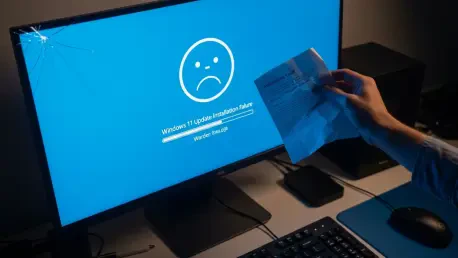
This type of failure indicates a significant disconnect between the final build stage and the distribution delivery mechanism. When a preview like KB5079391 is pulled within just 24 hours of release, it suggests that the automated verification protocols failed to catch fundamental packaging errors before the files hit the public servers. To safeguard the baseline reliability of the Windows Insider Program, the internal pipeline must implement more rigorous checksum validations and multi-stage “smoke tests” that simulate various network conditions. Preventing these issues requires a shift toward more granular telemetry monitoring during the initial 100-minute window of a rollout to detect missing file errors before they impact the broader user base.
Given that non-security previews are optional, what are the technical risks when these updates cause installation failures?
Even though these updates are optional, an installation failure can leave a system in a “half-baked” state where registry keys are modified but the corresponding binaries are missing. We have seen past updates trigger catastrophic reboot loops or break recovery partitions, which forces IT managers into a defensive posture where they must treat every “production-quality improvement” with extreme skepticism. Balancing the desire for new features against the risk of bricking high-value hardware, such as SSDs, requires a strict staging policy where updates are only deployed to a non-critical “canary” group first. The emotional toll on an IT department when a simple update causes hardware damage is immense, often leading to a total freeze on all non-critical patches for months.
AI-powered tools like Narrator now use Copilot to describe images across more devices. What are the specific technical hurdles in scaling these capabilities, and how do you ensure that these accessibility features remain stable while the core operating system undergoes significant architectural changes?
Scaling Narrator’s image description capabilities from specialized Copilot-only devices to the entire Windows 11 ecosystem involves massive challenges in local resource allocation and API latency. Developers must ensure that the AI model can fetch and process image data without dragging down system performance or crashing the shell, especially on older hardware. To maintain stability during architectural shifts, accessibility features need to be decoupled from the core OS kernel so that a change in File Explorer or Account Settings doesn’t inadvertently silence the Narrator. It is a delicate dance of integrating cloud-based intelligence while maintaining a local fallback that ensures the system remains usable for everyone, regardless of their connectivity.
Modifying Smart App Control without a clean install and improving File Explorer file unblocking are major usability shifts. What are the security trade-offs of simplifying these processes, and how can developers ensure that streamlining permissions doesn’t inadvertently create new vulnerabilities for end-users?
The move to allow Smart App Control modifications without a clean install is a huge win for user experience, but it removes a significant barrier that previously prevented malicious actors from easily toggling security settings. By simplifying the process of unblocking files downloaded from the internet, there is a risk that users will bypass safety warnings more impulsively, potentially exposing the system to “Mark-of-the-Web” vulnerabilities. Developers must counter this by implementing more robust “Principal” sorting in Advanced Security Settings to give admins better visibility into who has what permissions. Streamlining must be accompanied by clearer, more contextual auditing so that any change in security posture is logged and easily reversible.
Enhancing fingerprint reliability and taskbar loading in safe mode suggests a focus on the user’s initial interaction points. What metrics define a successful rollout for these hardware-dependent fixes, and how can troubleshooting protocols be improved when these tweaks fail to install correctly?
Success in hardware-dependent updates is measured by a decrease in “First-Touch Failure” rates and a measurable reduction in driver-related crashes during the login phase. For things like Windows Hello fingerprint reliability, we look at the biometric success rate across a diverse array of sensor manufacturers to ensure the fix isn’t vendor-specific. When these tweaks fail, the troubleshooting protocols need to be more transparent than a generic error message; they should provide specific pointers to which driver or service is blocking the installation. Improving the loading of taskbar components in safe mode is a critical safety net, as it ensures that even when a system is compromised, the user still has a familiar and functional interface to begin the recovery process.
What is your forecast for Windows 11 update stability?
I anticipate a period of “stabilization through transparency,” where we will see more frequent pauses in update rollouts as the system’s internal monitoring becomes more sensitive to early-stage errors. While the recent pause of KB5079391 was a setback, it demonstrates that the new focus on “baseline reliability” is actually working by stopping flawed code before it reaches the majority of the 24H2 and 22H2 install base. We will likely see a move toward more modular updates where AI components like Narrator and Copilot are updated independently of the core OS to minimize the “blast radius” of any single bug. Ultimately, the success of Windows 11 will depend on whether the company can fulfill its March pledge to turn these “production-quality improvements” into a reality that users can trust without hesitation.