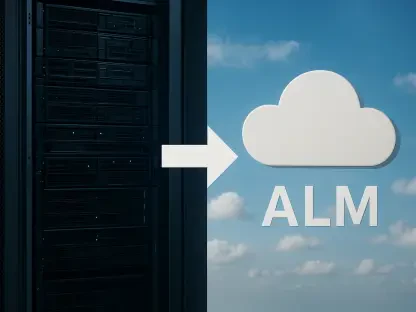

The modern digital existence is built upon a foundation of fragile data that requires more than just passive storage to remain resilient against the constant threat of hardware failure and cyber-extortion. In the current landscape, the traditional method of dragging files to an external drive has become an artifact of a simpler time, replaced by sophisticated ecosystems that prioritize immediate availability and ironclad encryption. As individuals and enterprises alike navigate the complexities of 2026, the definition of a “backup” has expanded to include real-time synchronization, threat detection, and seamless recovery across a multitude of interconnected devices. This shift is driven by the realization that data is not merely a collection of bits but the very fabric of personal and professional identity, making its loss catastrophic. Consequently, the industry has responded with hybrid solutions that leverage both local hardware speed and the geographic redundancy of the cloud, creating a safety net that is virtually impossible to break through standard failure points. These integrated platforms manage both local and cloud-based storage within a single interface, providing a safety net that is both fast and geographically diverse. While many users rely on the basic tools built into their operating systems, such as Windows File History or macOS Time Machine, experts agree these are no longer sufficient because they often lack the off-site redundancy and advanced security features needed to combat modern cyber threats. To achieve true data resilience, users must look toward specialized third-party services that offer more robust automation and deeper protection layers.
Emerging Trends: The Intersection of Security and Privacy
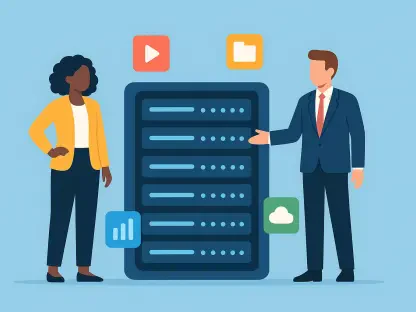
The most significant trend witnessed this year is the absolute focus on multi-device ecosystems that mirror the way people actually live and work. A typical user no longer stores data on just one computer; instead, files are spread across laptops, smartphones, and tablets, creating a fragmented landscape that is difficult to secure. Effective backup solutions have adapted to this reality by allowing users to protect an unlimited number of devices under a single account, ensuring that mobile-exclusive data like photos, high-resolution videos, and contacts are just as secure as professional documents stored on a primary workstation. This holistic approach removes the “silo” effect of data storage, where a lost phone might mean a permanent loss of specific memories or professional contacts even if the main computer is perfectly backed up. By unifying these disparate streams of data into a single, encrypted repository, modern services provide a comprehensive digital insurance policy that follows the user regardless of which piece of hardware they happen to be using at any given moment. This transition toward device-agnostic protection has become the standard expectation for any service hoping to remain relevant in a world where the lines between mobile and desktop computing continue to blur.
Security has also become inseparable from the backup process itself, marking a departure from the days when backup and antivirus were separate software categories. Top-rated services now include active defense mechanisms that monitor systems for signs of ransomware or malicious activity in real-time, acting as a proactive guardian rather than a reactive archive. By integrating threat detection directly into the backup engine, these tools can stop an attack before it has the chance to encrypt files or, at the very least, identify the exact moment an infection occurred to provide a clean and recent version of the data for immediate restoration. This convergence of cybersecurity and data preservation is essential in an era where ransomware attacks have become more sophisticated and targeted toward backup files themselves. Furthermore, the industry is moving toward “zero-knowledge” security models, which utilize private encryption keys that only the end-user possesses. While this places more responsibility on the individual to manage their credentials securely, it ensures that not even the service provider, or any third party, can access the stored data. This provides ultimate peace of mind for privacy-conscious users who want to ensure their personal information remains truly private.
Leading Platforms: Redefining Data Reliability for Modern Users
IDrive stands out as the primary choice for those seeking versatility and overall value because it offers a unique combination of low cost and a wide feature set. It includes the ability to back up third-party cloud data from other platforms, which is a critical feature for users who utilize multiple cloud services for different tasks. Its inclusion of a generous free tier and password-protected file sharing makes it an accessible option for general consumers who need to protect several different types of hardware simultaneously without a massive financial commitment. The platform also offers a physical shipping service known as IDrive Express, which allows users to perform an initial backup of massive datasets onto a physical drive sent by the company, bypassing the limitations of internet upload speeds. This pragmatic approach to data movement demonstrates an understanding of the physical constraints that still exist even in a highly connected world. For those managing a mix of personal and small business data, the flexibility to manage everything from a single dashboard provides a level of convenience that few other providers can match, especially when dealing with the recovery of specific file versions across different operating systems.
Backblaze continues to lead the market in simplicity, catering specifically to users who prefer a “set-it-and-forget-it” experience without the burden of complex configurations. By offering unlimited storage for a single computer at a flat rate, it removes the stress of managing storage limits or worrying about the total volume of data being protected. Its streamlined approach is backed by heavy-duty security and a unique courier service that can ship physical drives to users for faster data recovery after a major loss, which is often much faster than downloading terabytes of data over a standard home connection. This focus on the “restoration experience” rather than just the “backup process” is what sets the service apart in a crowded market. Users do not have to pick and choose which folders to protect, as the software automatically identifies and uploads everything that is not a temporary system file. For the average user who wants to know their files are safe without having to become an expert in data management, this model remains the gold standard. It provides a silent, reliable background process that only makes itself known when it is actually needed, which is the hallmark of well-designed utility software.
Structural Mechanics: Incremental and Continuous Data Capture
Understanding how data is transferred and stored is vital for maintaining an efficient backup system that does not consume excessive system resources. Modern software typically utilizes continuous backup methods, which monitor for file changes and upload them almost instantly, rather than relying on a fixed daily or weekly schedule that might leave gaps in protection. This ensures that the time between the current state of data and the last saved version is kept to an absolute minimum, which is critical for professionals who work on rapidly changing projects. The efficiency of these transfers is further enhanced by using incremental and differential backup methods that drastically reduce the amount of data sent over the network. Incremental backups save only the specific blocks of data that have changed since the very last backup, which conserves bandwidth and storage space. Differential backups, on the other hand, save all changes made since the last full backup, providing a middle ground that can sometimes speed up the restoration process. Choosing the right method depends on a user’s specific needs for restoration speed versus storage efficiency, and top-tier software now manages these decisions automatically based on the user’s internet speed and hardware performance.
There is also a critical technical distinction between simple file backup and full disk imaging that every user should understand when building a recovery plan. While file backup is sufficient for protecting specific documents like photos or spreadsheets, disk imaging captures the entire state of the operating system, including hidden system files, registry settings, and installed applications. This level of detail is essential for recovering from a total hardware failure, as it allows for a complete “bare-metal” restoration to new hardware without having to manually reinstall and reconfigure every piece of software. Modern tools like ShadowProtect SPX Desktop specialize in this type of full-system backup, even allowing users to boot their backed-up systems as virtual machines. This capability ensures that even if a computer’s physical hardware is completely destroyed, the user can continue working on a virtualized version of their setup with almost no delay. In high-stakes environments where every hour of downtime translates to significant financial loss, the ability to transition from a physical machine to a virtual one is not just a luxury but a fundamental requirement for business continuity.
Critical Distinctions: File Synchronization versus True Redundancy
A common mistake made by many users is assuming that synchronization services like Google Drive, OneDrive, or Dropbox serve as a complete backup solution. In reality, these platforms are designed primarily for collaboration and file access across multiple devices, not for long-term data preservation or disaster recovery. They often only sync specific folders and may not keep the historical versions or system-level data required for a full recovery of a crashed machine. More importantly, synchronization is a two-way street; if a file is accidentally deleted or corrupted by ransomware on one device, that change is immediately propagated to all other devices and the cloud version. This means that a sync service can actually accelerate the loss of data rather than prevent it if the user is not extremely careful. Dedicated backup software provides a much broader safety net by automatically protecting the entire filesystem and keeping those files isolated from the live environment. Unlike sync services, backup services keep separate, immutable copies of data that are not affected by accidental deletions or file corruptions on the source machine, providing a true “point-in-time” recovery option.
The implementation of file versioning is the specific feature that separates professional backup tools from simple file copying utilities. Versioning allows users to “roll back” to older iterations of a document, which is particularly useful if a file is corrupted by an error or if a user needs to retrieve information that was accidentally removed during a recent editing session. Most top-tier services in the current market retain these versions for at least thirty days, and some offer extended history options that span years. This creates a historical record of a user’s work, allowing them to navigate through the timeline of their data as if they had a time machine. When combined with the security of immutable storage—where the data cannot be changed once it is written to the backup server—this provides a level of protection against ransomware that no synchronization service can offer. If a system is compromised, the user simply reaches back to a version of the files from the day before the attack occurred. This transition from simple storage to intelligent versioning marks the evolution of data management into a service that actively protects the integrity and history of the user’s digital assets.
Enhanced Recovery: Protocols and Secure Management Interfaces
The true test of any backup service occurs during the restoration process, where features like multi-factor authentication and high-level encryption become the primary lines of defense. By requiring a second form of identification, such as a biometric scan or a hardware token, to access an account, these services prevent unauthorized parties from compromising the backup data even if the primary password is stolen. Security during both the transfer and storage of data is bolstered by industry-standard encryption protocols, ensuring that the data remains unreadable to anyone without the proper keys. Furthermore, the use of physical courier services allows users to bypass the limitations of slow or unstable internet connections by receiving their data on an encrypted hard drive shipped directly to their door. This “sneakernet” approach remains one of the most reliable ways to recover multi-terabyte datasets in a matter of days rather than weeks of continuous downloading. For many users, the peace of mind knowing that their data can be physically delivered is just as important as the cloud-based access, providing a tangible solution to a digital crisis.
Mobile applications have also become a vital component of the recovery strategy, allowing for remote management of a home or office computer’s backup status from anywhere in the world. These apps enable users to check the status of their backups, receive alerts about potential threats, and facilitate the secure sharing of large files through expiring, password-protected links. This level of accessibility ensures that data is not just safe, but also useful and manageable in a mobile-first world where the primary device might be a tablet or a smartphone. The ability to initiate a file restore from a phone so that the data is ready on a desktop when the user arrives at their office is a significant workflow enhancement. Additionally, these mobile interfaces often include features to back up the mobile device itself, including photos, videos, and app data, creating a closed loop of protection for the entire digital footprint. This integrated management of recovery protocols across all platforms ensures that the user is always in control of their information, regardless of their physical location or the device they have on hand.
Implementing Professional Standards: Long-Term Data Resilience
To achieve a professional level of data resilience, it was necessary to follow a strategy built on the pillars of redundancy, automation, and regular verification. This meant maintaining at least two copies of data—one stored locally for immediate access and speed, and one in a geographically separate cloud location for disaster recovery. By automating the process, individuals ensured that human error or forgetfulness did not lead to gaps in their protection history, making the backup a silent but ever-present part of their digital infrastructure. Periodic testing of the restoration process was also a critical step, as a backup that cannot be restored is essentially useless when a crisis actually occurs. The decision to prioritize services that offered full disk imaging and robust versioning proved to be the most effective way to handle the increasing complexity of modern software environments. This proactive approach transformed data management from a tedious chore into a foundational security practice that provided the confidence to explore new technologies without the fear of permanent data loss.
The implementation of these advanced tools and strategies effectively minimized the impact of hardware failures and cyber-attacks for those who adopted them. Moving forward, the most successful data preservation plans were those that recognized the value of “zero-knowledge” privacy and the necessity of protecting entire device ecosystems rather than just individual files. By shifting the focus from simple storage to comprehensive digital insurance, users secured their digital legacies against the unpredictable nature of the modern landscape. The lessons learned from the evolution of backup software emphasized that the cost of professional protection was a small price to pay compared to the devastating consequences of losing a lifetime of work or personal memories. This strategic shift in how data was perceived and protected ensured that the digital foundations of both personal lives and professional enterprises remained intact, regardless of the external challenges that arose. Ultimately, the integration of security, speed, and redundancy created a standard for data safety that served as the backbone for all digital interactions, providing a level of reliability that was once thought to be impossible.