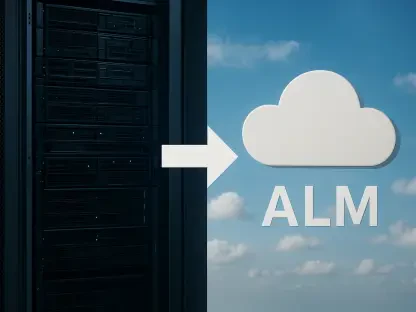

Windows 365 ensures that infrastructure is already in place to support the growing integration of AI agents and builders into the standard software development lifecycle. The software development world has transitioned toward a model where elastic cloud-hosted workstations replace the static local hardware of previous years. This shift is a response to the need for greater agility in an environment characterized by decentralized workflows and the rapid adoption of artificial intelligence across every layer of the tech stack. Microsoft has responded by positioning Windows 365 as a unified platform that goes beyond simple remote desktop functionality to provide specialized, high-performance environments with enterprise-grade security. By consolidating essential developer tools under a single architecture, organizations can now offer a seamless experience that bridges the gap between local processing power and the limitless scalability of the cloud to maintain developer flow. This strategy ensures that engineers can transition between coding and compute-heavy builds without losing state.
Streamlining Workflows: Readiness and Power
Accelerating Productivity through Ready-to-Code Environments
The transition toward cloud-based developer workstations has fundamentally altered how engineering teams approach the concept of environmental readiness. In previous cycles, a new hire or a developer moving to a fresh project often faced days of environmental configuration, including installing SDKs, setting up environmental variables, and troubleshooting local dependency conflicts. Windows 365 addresses this by providing pre-configured, “ready-to-code” environments that can be provisioned in minutes rather than hours or days. These environments are not merely virtual machines; they are fully realized development hubs that come pre-loaded with the necessary compute power and software stacks specific to a company’s unique needs. By shifting the burden of configuration from the individual developer to the platform level, organizations ensure that the path to the first code commit is as short as possible, which is critical in a fast-moving market where time-to-market is a primary metric.
Beyond the initial setup, the depth of integration within these cloud workstations includes essential components like Visual Studio Code, Git, and the Windows Subsystem for Linux (WSL). This comprehensive toolkit allows developers to maintain a consistent experience regardless of whether they are working on front-end interfaces or back-end containerized services. The ability to run Linux-based tools directly within a Windows-hosted cloud environment has bridged a long-standing gap in the developer ecosystem, providing a unified workspace for diverse projects. Furthermore, because these tools are hosted in the cloud, they benefit from the high-speed internal networking of the Azure backbone. This results in significantly faster package downloads, container image pulls, and repository cloning compared to typical residential or office connections. The result is a distraction-free environment where technical hurdles are minimized, allowing engineers to focus on high-value creative work instead of troubleshooting local infrastructure.
Balancing Infrastructure: Local Hardware and Cloud Scaling
While the cloud offers immense scalability, it is increasingly utilized as a powerful extension of local hardware rather than a total replacement. For intensive tasks such as heavy builds, complex simulations, or isolated testing of kernel-level software, developers can tap into the vast compute resources of the cloud while still utilizing high-performance local machines for latency-sensitive tasks or offline work. This hybrid approach allows for bespoke compute environments where the physical hardware and cloud resources are perfectly matched to the specific demands of the workload at hand. High-end devices with significant local RAM remain vital for specific tasks, but they are now supplemented by Cloud PCs that handle the “heavy lifting” that might otherwise thermal-throttle a laptop. This synergy ensures that developers are never limited by the physical constraints of their mobile workstations, providing a consistent level of performance regardless of their physical location or hardware choice.
This balance between local and cloud resources also facilitates a more sustainable hardware lifecycle for large enterprises. Instead of frequently upgrading thousands of physical laptops to keep up with the increasing demands of modern compilation and AI processing, companies can extend the life of existing hardware by offloading the most demanding tasks to Windows 365. This model allows for a tiered approach to hardware where the local device serves as a portal to a more powerful, elastic backend. This strategy not only reduces capital expenditure but also provides developers with the flexibility to work on the devices they prefer without sacrificing the power they need for professional-grade software engineering. Consequently, the cloud acts as a performance buffer, ensuring that even the most complex software architectures can be built and tested with efficiency, maintaining a smooth development rhythm that was previously impossible to sustain on a global scale.
Enhancing Security: Governance and Global Teams
Implementing Zero-Trust Governance: Protecting Intellectual Property
Modern enterprise security requires that developer flexibility be balanced with rigorous data integrity and zero-trust principles. Windows 365 integrates deeply with Microsoft Entra and Intune, allowing IT departments to enforce granular security policies through context-based redirection and automated monitoring. This ensures that sensitive source code and intellectual property remain protected within a trusted ecosystem, even when accessed from varied locations. Administrators can automatically disable specific peripherals, such as USB drives or local printers, based on the sensitivity of the data or the user’s current security posture. This level of control is essential for maintaining compliance in highly regulated industries like finance or healthcare. By centralizing the developer environment in the cloud, companies can reduce the risk of data exfiltration and ensure that every action is audited, providing a level of oversight that is nearly impossible to achieve with a fleet of disconnected local machines.
The centralization of these environments also simplifies the response to security threats. If a local device is lost or compromised, the sensitive data remains isolated within the cloud environment, which can be instantly locked or wiped by the IT department. This containment strategy prevents local vulnerabilities from evolving into full-scale corporate breaches. Furthermore, the use of standardized images ensures that security patches and updates are applied uniformly across the entire organization, eliminating the “patchwork” security often found in traditional dev environments. Developers no longer need to spend time managing their own security updates, as the platform ensures they are always operating within a hardened and compliant workspace. This shift allows the security team to become an enabler of productivity rather than a bottleneck, as they can provide developers with the tools they need within a pre-approved, safe environment that adheres to all corporate and legal standards.
Empowering Global Teams: Scalability and Temporary Access
The platform’s versatility is also demonstrated through its ability to support massive, geographically dispersed teams and external contractors without logistical friction. Large organizations, such as the London Stock Exchange Group and ABN AMRO, have successfully used cloud-based workstations to provide offshore developers with high-performance access that feels indistinguishable from a local experience. This technology solves the persistent challenge of granting temporary access to specialized tools, allowing contractors to work in a secure, audited environment without the need for shipping and retrieving physical hardware. In the current global economy, the ability to scale a workforce up or down instantly is a competitive advantage. Cloud PCs enable this elasticity by allowing teams to provision new seats as needed and revoke access instantly when a project concludes. This operational efficiency reduces overhead costs and eliminates the waste associated with underutilized physical hardware.
Moreover, the reduction in latency achieved through regional data centers ensures that developers in different parts of the world can collaborate in real-time without the lag traditionally associated with remote work. This creates a level playing field for global talent, where an engineer in an offshore office has the same technical capabilities as one in the headquarters. The ability to quickly onboard specialized talent for short-term projects has also been revolutionized; a contractor can be productive within minutes of being hired, as their entire environment is pre-built and ready for access. This speed of deployment is particularly beneficial for high-stakes projects that require rapid scaling. By removing the physical barriers to entry, Windows 365 has fostered a more inclusive and dynamic global development community where the primary focus is on the quality of the code rather than the logistics of the workstation, ultimately driving faster innovation across borders.
Strategic Evolution: AI and Platform Engineering
Creating Dedicated Spaces: AI Innovation and Agent Sandboxing
As AI agents became a staple of the development lifecycle, Windows 365 provided a controlled sandbox for these technologies to operate and evolve safely. By hosting AI agent workloads in a dedicated cloud environment, companies explored automated development and testing without compromising the security of their primary host systems. This infrastructure ensured that as AI integration deepened, the necessary compute power and isolation protocols were already established to prevent unintended interactions between automated agents and sensitive production environments. The platform allowed for the creation of specialized “agent-ready” nodes where AI builders could test large language models and autonomous scripts in a space that mimicked production but remained strictly contained. This provided the freedom to innovate with emerging AI technologies while maintaining a rigid security perimeter that protected the organization’s core assets and customer data from potential AI-driven anomalies.
Furthermore, the integration of AI within the Cloud PC environment facilitated a more intuitive development experience where the infrastructure itself began to anticipate the needs of the engineer. AI-driven resource allocation could automatically scale the compute power of a Cloud PC based on the current task, such as compiling a massive codebase or running a complex suite of integration tests. This meant that developers no longer had to manually adjust their machine specs, as the cloud environment optimized itself in real-time. This proactive management ensured that the development “flow” was never interrupted by hardware limitations. As these AI tools became more sophisticated, they started to handle routine maintenance tasks, such as dependency updates and security scans, further freeing up human developers to focus on architectural design and creative problem-solving. This evolution marked the transition from a passive workstation to an active partner in the software creation process.
Strategic Implementation: Actionable Steps for Infrastructure Leaders
The move toward Windows 365 as the flagship developer platform yielded several critical conclusions regarding the future of enterprise IT. The platform successfully merged high-performance compute requirements with the stringent security demands of the modern enterprise, creating a sustainable model for growth. Organizations that adopted these cloud-based workstations reported a significant decrease in onboarding times and a noticeable improvement in overall developer satisfaction. By centralizing the development environment, IT departments gained better visibility into security risks without impeding the creative process. The integration of AI-ready sandboxes ensured that teams were prepared for the next wave of technological innovation by providing a safe space for experimentation. This transition demonstrated that the physical location of a developer became secondary to the quality and reliability of the virtual environment they inhabited, which was a major win for talent retention.
In light of these findings, technology leaders should prioritize auditing their current hardware lifecycle to identify immediate opportunities for cloud integration. Shifting to elastic resources allowed for better management of AI-driven workloads and provided the scalability needed for complex software builds that local machines struggled to handle. Organizations were encouraged to invest in platform engineering to create standardized, reusable images that reduced technical debt and ensured consistency across all engineering teams globally. Leaders also found it beneficial to establish a clear policy on hybrid work that leveraged Cloud PCs for sensitive projects, thereby reducing the risk of data loss. By taking these actionable steps, businesses not only secured their intellectual property but also built a resilient infrastructure that could adapt to the fluid nature of modern software engineering. The final outcome was a more agile, secure, and productive workforce that was ready for the challenges of the future.