
The evolution of cloud computing has reached a point where manual infrastructure management is increasingly viewed as a technical debt rather than a core competency for modern software development teams. By the middle of 2026, serverless architectures have matured into highly resilient, cost-effective ecosystems that allow engineers to focus strictly on business logic while AWS handles the underlying execution environment. Building a Task Manager API provides a perfect practical framework for mastering these services, as it requires a harmonious integration between compute, storage, and networking layers. This specific tutorial focuses on deploying a robust system using AWS Lambda, Amazon API Gateway, and DynamoDB, ensuring that the final product is not only functional but also adheres to the security and scalability standards required in a production environment. Leveraging modern runtimes like Python 3.13 and the latest iterations of the AWS Command Line Interface allows for a streamlined development workflow that minimizes friction between local coding and cloud deployment. As digital traffic patterns become more volatile, the ability to scale from zero to millions of requests without intervention remains a competitive advantage that defines the current technological landscape.
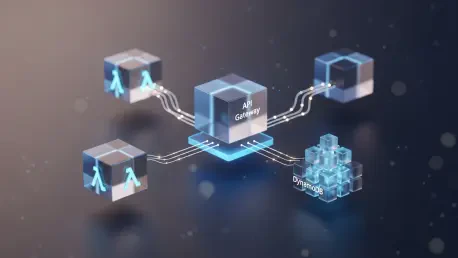
Establishing a clear architectural vision before writing the first line of code is essential for avoiding the common pitfalls of distributed systems. The Task Manager API utilizes a RESTful design pattern, exposing five critical endpoints that allow for the full lifecycle management of data entries. A POST request initiates the creation of a task, while various GET requests facilitate the retrieval of individual or collective records. Updates and deletions are handled through PUT and DELETE methods respectively, ensuring that the system remains stateful and interactive. Each of these interactions is mediated by Amazon API Gateway, which serves as the entry point for all external traffic, providing a layer of abstraction that protects the internal logic residing within AWS Lambda. By delegating storage to DynamoDB, the application maintains high availability and performance without the need for traditional relational database maintenance. This synergy between managed services creates a stack that is both powerful enough for enterprise use and simple enough for a single developer to maintain throughout the 2026 development cycle and beyond.
1. Register for AWS and Initialize the CLI
The initial phase of building a serverless application involves securing a professional environment through the creation of an Amazon Web Services account. It is imperative to move beyond the root user account as quickly as possible, as using root credentials for daily development poses a significant security risk to the entire cloud infrastructure. Instead, a developer should navigate to the Identity and Access Management console to create a dedicated IAM user with programmatic access. This user should be granted the necessary permissions to manage Lambda functions, API Gateway resources, and DynamoDB tables. Once the account is active and the IAM user is configured, the next logical step is the installation of the AWS Command Line Interface version two. This tool serves as the primary bridge between the local development machine and the global AWS network, allowing for rapid deployment and resource management without the need to navigate the web-based management console for every minor adjustment.
After the installation of the CLI is complete, the initialization process continues with the execution of the configuration command in the terminal. This step requires the input of the Access Key ID and Secret Access Key generated during the IAM user creation process. Choosing a default region, such as us-east-1 or us-west-2, is a strategic decision that affects the latency and availability of the services being deployed. A professional configuration also includes setting the output format to JSON, which ensures that the responses from the AWS service calls are structured and easily readable for both the developer and any automated scripts. To verify that the connection is successful and the permissions are correctly aligned, one should run a simple identity check command. Receiving a valid response containing the account ID and user ARN confirms that the local environment is fully authenticated and prepared for the complex deployment tasks that lie ahead in the development of the Task Manager API.
2. Configure an IAM Role With Minimal Necessary Permissions
Security in a serverless environment is built upon the principle of least privilege, ensuring that each component has only the specific permissions required to perform its designated task. The AWS Lambda function requires an execution role that defines what other AWS services it is allowed to interact with during its lifecycle. Creating this role begins with a trust policy, a JSON document that explicitly allows the Lambda service to assume the role on behalf of the developer. Without this trust relationship, the function would be unable to execute, regardless of how many permissions are attached to it. A well-structured role differentiates a secure production application from a vulnerable prototype. In the current 2026 landscape, where security breaches often stem from over-privileged cloud identities, taking the time to define granular access controls is not just a best practice but a fundamental requirement for any serious technical project or organizational deployment.
Once the base execution role is established, it must be augmented with specific policy attachments that facilitate logging and database interaction. The AWSLambdaBasicExecutionRole is a standard managed policy that grants the function the ability to upload logs to Amazon CloudWatch, which is indispensable for debugging and monitoring performance. Beyond logging, a custom inline policy should be crafted to permit the function to perform actions such as PutItem, GetItem, and Scan on the specific DynamoDB table dedicated to the Task Manager. By scoping these permissions to a specific resource ARN rather than using a wildcard, the developer prevents the function from inadvertently accessing or modifying other data sources within the same AWS account. This methodical approach to identity management ensures that the application remains resilient and secure, providing a stable foundation for the integration of more advanced features and higher traffic volumes as the project matures and expands.
3. Program Your Starting AWS Lambda Function
The heart of the Task Manager API resides in the Lambda function code, which serves as the primary engine for processing incoming requests and managing the application state. In 2026, Python 3.13 has become the preferred runtime for many serverless developers due to its balance of readability, performance, and extensive library support. The code must be structured as a handler function that accepts an event object containing the details of the incoming HTTP request and a context object providing runtime information. This handler acts as a central router, inspecting the incoming method and path to determine whether to create a new task, retrieve existing ones, or modify a specific record. By using a single function to manage multiple routes, developers can minimize the management overhead while maintaining a clear and logical separation of concerns within the script itself. This monolithic-function approach is particularly effective for small to medium-sized APIs where shared logic and dependencies are common.
Developing the logic for each CRUD operation requires a deep understanding of how the Boto3 library interacts with the DynamoDB service. For instance, the creation logic must generate a unique identifier for each task, often utilizing the UUID library, and then package the request body into a format suitable for a DynamoDB put_item call. Similarly, retrieval logic must handle both the scanning of an entire table and the targeted fetching of a single item based on its primary key. Error handling is another critical component that must be integrated into every logical branch to ensure that the API returns meaningful status codes and messages when things go wrong. A professional-grade function does not merely execute commands but also validates input and catches exceptions to prevent the entire system from failing silently. This level of robustness is what transforms a simple script into a reliable backend service capable of supporting a diverse range of client applications and user interactions.
4. Compress and Release the Function Using the CLI
Transitioning the locally written Python code into a live AWS Lambda function involves a process of packaging and deployment that must be handled with precision. The source code, along with any necessary dependencies, must be compressed into a standard zip file. It is vital to ensure that the main script remains at the root level of the archive, as the Lambda runtime will be unable to locate the handler if it is nested within subdirectories. This packaging phase is also an opportune time to consider the inclusion of external libraries, although for basic DynamoDB interactions, the pre-installed Boto3 library in the Lambda environment is usually sufficient. Once the zip file is prepared, the AWS CLI is used to create the function, a process that requires the specification of the function name, the runtime environment, the IAM role ARN created earlier, and the path to the compressed file.
During the release phase, configuring the function’s resource limits is just as important as the code itself. Assigning an appropriate memory limit, such as 256 MB or 512 MB, directly impacts the CPU power allocated to the function, which can significantly reduce execution time and latency. Furthermore, setting a timeout value prevents a function from running indefinitely in the event of an external service hang, which helps in controlling costs and maintaining system responsiveness. Environment variables are also established during this step, allowing the developer to inject configuration data like the DynamoDB table name without hardcoding it into the script. This separation of configuration from code is a hallmark of the Twelve-Factor App methodology and is essential for maintaining an API that can be easily migrated between different stages of development, testing, and production as the project moves forward in the current year.
5. Evaluate and Execute the Function to Confirm It Works
Before introducing the complexities of a web-facing API Gateway, it is prudent to evaluate the Lambda function in isolation to ensure that the core logic and permissions are functioning as intended. This verification is performed through the manual invocation of the function using the AWS CLI, providing a simulated request payload that mimics the structure of an actual API Gateway event. By crafting a JSON file that includes the necessary HTTP methods and body data, a developer can trigger specific branches of the function logic and observe the resulting output. This direct execution method bypasses the networking layer, allowing for a focused assessment of the internal code performance and the interaction with the DynamoDB backend. It is the most efficient way to identify and resolve issues related to permission errors, syntax mistakes, or logical flaws before they are obscured by the additional layers of the infrastructure stack.
Analyzing the results of these test invocations requires a careful examination of the response payload and the associated logs in CloudWatch. A successful execution should return the expected JSON structure, including the appropriate HTTP status code and the requested data or confirmation of the action performed. If the function fails or returns an error, the developer must delve into the log streams to identify the root cause, whether it be a missing permission in the IAM role or a malformed query to the database. This iterative process of testing and refinement is fundamental to the serverless development workflow, building confidence in the stability of the component before it is exposed to the public internet. By ensuring that the function is robust and reliable at this stage, one avoids the common frustration of troubleshooting multi-service integration issues later in the deployment cycle, thereby accelerating the overall progress toward a production-ready Task Manager API.
6. Generate a REST API Using Amazon API Gateway
The construction of the API’s public interface begins with the generation of a REST API resource within the Amazon API Gateway service. Unlike simpler HTTP APIs, the REST API offering in 2026 continues to provide a comprehensive suite of features tailored for professional environments, including advanced request validation, usage plans, and detailed monitoring capabilities. The process starts by creating a container for the API, which serves as the organizational hub for all subsequent resources and methods. Within this container, the developer defines a hierarchical structure of resources that map to the desired URL paths. For the Task Manager, this involves creating a base resource named tasks, and a nested resource represented by a path variable to handle operations on individual items. This structured approach ensures that the API remains intuitive for developers and client applications to consume, following the standard conventions of modern web architecture.
Defining the interaction methods for each resource is the next critical step in the setup process. For the tasks resource, one must enable the POST and GET methods to support task creation and bulk retrieval respectively. For the nested item resource, the GET, PUT, and DELETE methods are required to allow users to interact with specific records. Each method must be configured with the appropriate authorization settings and integration types to ensure that traffic is correctly routed and secured. While the initial setup may seem complex, the flexibility offered by API Gateway allows for the implementation of sophisticated traffic management strategies, such as request transformations and header manipulations, which can be invaluable as the application grows in complexity. This foundational work in API Gateway establishes the gateway as a powerful proxy that not only directs traffic but also enhances the security and manageability of the entire serverless ecosystem.
7. Integrate API Gateway With Lambda via Proxy Settings
Connecting the public-facing API Gateway to the private Lambda function is achieved through the implementation of Lambda Proxy Integration. This specific integration type is highly favored in 2026 because it simplifies the communication between the two services by passing the entire raw HTTP request directly to the Lambda function as a JSON event. Instead of manually mapping headers, query parameters, and body content in the API Gateway console, the developer handles these elements within the Python code, providing maximum flexibility and reducing the likelihood of configuration errors. This approach also requires the Lambda function to return a specifically formatted response object, including the status code and body, which API Gateway then translates back into a standard HTTP response for the client. This seamless handshake between services is what enables the rapid development of dynamic, data-driven applications in the cloud.
Making the integration functional also requires the explicit granting of permission for API Gateway to invoke the Lambda function. This is handled through a resource-based policy on the function itself, which specifies that the API Gateway service is an authorized principal. Without this permission, any attempt to call the API will result in a 502 or 503 error, as the gateway will be blocked from triggering the compute resource. Once the methods are linked and permissions are set, the final action in this phase is the deployment of the API to a specific stage, such as prod or dev. Deployment creates a snapshot of the API configuration and makes it accessible via a public URL, marking the moment the Task Manager backend officially goes live. This stage-based deployment model allows developers to manage multiple versions of their API simultaneously, facilitating safe testing and gradual rollouts of new features to the user base.
8. Implement a DynamoDB Database for Storage
A serverless API is only as effective as the storage layer that supports it, and Amazon DynamoDB provides the necessary scalability and performance for modern applications. Implementing the database for the Task Manager involves creating a table with a carefully selected primary key, which in this case is a simple string attribute representing the unique task ID. One of the most significant advantages of using DynamoDB in 2026 is the maturity of the on-demand billing mode, which eliminates the need for developers to predict traffic patterns or provision capacity in advance. Instead, the database automatically scales up or down to meet the incoming request volume, ensuring that costs are directly proportional to actual usage. This model is particularly beneficial for startups and independent projects where traffic can be bursty and unpredictable, providing a highly cost-effective storage solution without sacrificing performance.
Beyond the basic configuration, understanding the data consistency and durability features of DynamoDB is essential for building a reliable application. By default, DynamoDB provides eventually consistent reads, which is suitable for most task-tracking scenarios, but strongly consistent reads can be requested if the application logic demands the most up-to-date data at all times. The service also automatically replicates data across multiple availability zones within a region, providing built-in disaster recovery and high availability. As the database grows, developers can leverage global tables to replicate data across different geographic regions, reducing latency for users around the world. This deep integration of storage and compute within the AWS ecosystem allows for the creation of applications that are not only fast and responsive but also incredibly resilient to infrastructure failures, a critical requirement for any production-grade API in the current technological environment.
9. Strengthen Security With Rate Limits and User Authentication
Exposing an API to the public internet necessitates a robust security strategy to prevent abuse and ensure that resources are consumed fairly. Strengthening the Task Manager API begins with the implementation of rate limiting and throttling within API Gateway. By setting a ceiling on the number of requests a single user or IP address can make per second, the developer protects the backend Lambda and DynamoDB resources from being overwhelmed by malicious traffic or accidental loops in client-side code. Usage plans can be created to define different tiers of service, allowing for more granular control over how different groups of users interact with the system. This level of protection is a fundamental requirement for maintaining the availability and performance of the API under varied load conditions, ensuring a consistent experience for all legitimate users.
In addition to rate limiting, securing the endpoints with proper authentication is vital for protecting sensitive user data. For a simple implementation, API keys can be used to restrict access to known clients, but for more advanced scenarios, integrating with Amazon Cognito or a custom Lambda authorizer is recommended. Cognito provides a comprehensive identity management solution, allowing users to sign up and log in using various social providers or custom credentials, while authorizers allow the developer to execute custom logic to validate incoming tokens or headers. This multi-layered approach to security, combining network-level throttling with identity-level authentication, ensures that the Task Manager API remains a secure and trusted platform. As the digital landscape in 2026 continues to present new security challenges, staying ahead of these threats through proactive infrastructure configuration is an essential skill for any cloud architect or developer.
10. Roll Out the Entire Stack Using AWS SAM
Manually managing cloud resources through the console or individual CLI commands becomes increasingly difficult as an application grows in complexity. To address this, the AWS Serverless Application Model provides a framework for defining the entire stack as a single template file, often written in YAML or JSON. This infrastructure as code approach allows developers to treat their cloud resources with the same rigor as their application code, enabling version control, automated testing, and repeatable deployments. The SAM template for the Task Manager API consolidates the definition of the Lambda function, the API Gateway resources, the DynamoDB table, and the necessary IAM roles into a readable and maintainable document. By using simple abstractions for complex resources, SAM significantly reduces the amount of boilerplate code required to deploy a professional serverless application, making it the industry standard for AWS development in 2026.
Rolling out the stack with the SAM CLI involves a straightforward two-step process: building the application and then deploying it. During the build phase, SAM packages the code and handles any dependencies, ensuring that the deployment package is optimized for the Lambda environment. The deployment phase then uses the template to create or update a CloudFormation stack, which orchestrates the creation of all specified resources in the correct order. This automation eliminates the risk of human error during manual configuration and ensures that every environment, from development to production, is identical. Furthermore, SAM provides powerful local testing capabilities, allowing developers to simulate Lambda events and API Gateway requests on their own machines before pushing changes to the cloud. This tight feedback loop accelerates the development cycle and leads to higher quality software, making SAM an indispensable tool for anyone serious about building and maintaining serverless APIs at scale.
11. Set Up Logging, Performance Metrics, and X-Ray Tracing
Observability is the cornerstone of maintaining a healthy serverless application, as it provides the visibility needed to diagnose issues and optimize performance. Setting up comprehensive logging through Amazon CloudWatch ensures that every execution of the Lambda function is recorded, allowing developers to trace the path of a request and identify where errors or bottlenecks occur. In 2026, the integration between Lambda and CloudWatch has become even more seamless, with structured logging and advanced filtering capabilities that make it easier than ever to extract meaningful insights from large volumes of log data. Beyond simple logs, performance metrics such as execution time, memory usage, and error rates are automatically collected and visualized in CloudWatch dashboards. These metrics provide a high-level view of the API’s health and allow for the configuration of automated alarms that notify the team when performance thresholds are exceeded.
For deeper insights into the interactions between different services, implementing AWS X-Ray tracing is a highly effective strategy. X-Ray provides a visual representation of the request flow through the entire system, showing exactly how much time is spent in API Gateway, the Lambda function, and the DynamoDB calls. This level of detail is invaluable for identifying hidden latencies and understanding the dependencies within a distributed architecture. By enabling active tracing on the Lambda function and the API Gateway stage, developers can pinpoint specific components that are causing delays and take targeted action to improve the user experience. This commitment to observability not only simplifies the troubleshooting process but also drives a culture of continuous improvement, as teams use the data gathered from these tools to refine their code and infrastructure for maximum efficiency and reliability in a competitive market.
12. Minimize Startup Delays and Adjust Memory Allocation
Optimizing the performance of a serverless API often involves addressing the challenge of cold starts, which are the delays that occur when a Lambda function is initialized for the first time or after a period of inactivity. In 2026, developers have access to several sophisticated tools to minimize these delays, including Provisioned Concurrency and Lambda SnapStart. Provisioned Concurrency keeps a specified number of function instances warm and ready to respond instantly, which is ideal for high-traffic endpoints where low latency is critical. Meanwhile, SnapStart significantly reduces the initialization time for supported runtimes by taking a snapshot of the initialized function and resuming from that state for subsequent invocations. By strategically applying these techniques to the most performance-sensitive parts of the Task Manager API, one can ensure a smooth and responsive experience for all users, regardless of how often they interact with the system.
Adjusting the memory allocation for a Lambda function is another powerful lever for optimizing both performance and cost. Since AWS allocates CPU power proportionally to the amount of memory assigned, increasing the memory limit can often lead to faster execution times, which in turn reduces the billed duration of the function. For many workloads, there is a sweet spot where the increased cost per millisecond is offset by a dramatic reduction in the total number of milliseconds required to complete the task. Using tools like the AWS Lambda Power Tuning framework allows developers to visualize this relationship and choose the most efficient configuration for their specific code. This level of fine-tuning is what distinguishes a mature serverless application from a basic prototype, demonstrating a sophisticated understanding of how to balance performance requirements with financial constraints in a modern cloud environment.
Optimizing the Project Lifecycle and Infrastructure
Building a robust serverless API requires more than just initial deployment; it demands a strategy for long-term maintenance and iterative improvement. The implementation demonstrated that moving from manual configurations to automated infrastructure as code significantly reduces the operational burden on the developer. Throughout the project, the use of environment variables and modular code structures ensured that the system remained flexible enough to adapt to changing requirements. The integration of security from the outset, rather than as an afterthought, provided a secure environment that protected both the data and the underlying resources from the day the API went live. This project provided a comprehensive blueprint for leveraging the full potential of the AWS serverless ecosystem, from the core compute and storage services to the advanced monitoring and optimization tools that ensure production readiness in the current year.
The transition from a working prototype to a scalable production service is a journey of continuous refinement and data-driven decision-making. Future considerations for the Task Manager API might include the implementation of a global content delivery network to reduce latency for international users or the integration of more advanced search capabilities through services like Amazon OpenSearch. As the application grows, the team should continue to monitor CloudWatch metrics and X-Ray traces to identify and resolve performance bottlenecks before they impact the user experience. The technical foundation established here provides the agility needed to respond to market trends and user feedback with speed and precision. By adhering to the principles of serverless architecture and cloud-native development, one ensures that the Task Manager API remains a performant, secure, and cost-effective solution that can evolve alongside the ever-changing technological landscape.