
The rapid evolution of web-based applications has transformed Chromebooks into powerful professional tools, yet the persistent limitation of internal hardware often leaves users struggling with a mere 32 or 64 gigabytes of local storage capacity. While the operating system itself is designed to be lightweight, a substantial portion of this physical memory is immediately claimed by system files, leaving a surprisingly small margin for user data. For professionals who handle a steady volume of high-resolution PDF documents, scanned legal contracts, and media-rich reports, this limited space creates a persistent operational challenge. The solution to this storage crunch does not require the purchase of a more expensive device with a larger solid-state drive, but rather a fundamental shift in how files are managed and processed. By moving away from traditional local-saving habits and embracing a cloud-centric workflow, users can maximize the utility of their Chromebooks while ensuring that their essential documentation remains accessible, secure, and organized without taxing the internal hardware.
Transitioning to a Cloud-First Storage Model
Native Drive Integration: Expanding Virtual Boundaries
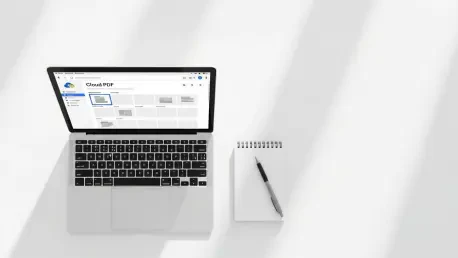
The architecture of ChromeOS is uniquely positioned to handle limited hardware through its deep integration with Google Drive, which serves as a virtual extension of the local file system. When a user opens the Files app, Google Drive appears not as a detached website but as a mounted drive, allowing for the direct movement of documents from the local “Downloads” folder to a cloud-based repository. This seamless connectivity enables users to treat their 15 gigabytes of free cloud storage—or expanded Google One plans—as the primary destination for all administrative paperwork. By adjusting the browser settings to prompt for a download location each time a file is saved, individuals can proactively direct incoming PDFs to the cloud instead of the internal drive. This approach ensures that the local memory remains reserved for critical system functions and offline application data, effectively bypassing the physical constraints of the device. Furthermore, this method provides an automatic backup layer, protecting vital documents from local hardware failures or accidental device loss.
Third-Party Connectivity: Leveraging External Platforms
Beyond the native Google ecosystem, Chromebooks have evolved to support a wide range of third-party cloud services, allowing users to link providers like Microsoft OneDrive and Dropbox directly into the primary Files interface. This capability is particularly beneficial for professionals who must collaborate with clients using different platforms, as it allows for the manipulation of documents without the need for an intermediate local download. By utilizing these integrations, a user can move a high-resolution PDF from an email attachment directly into a shared Dropbox folder, maintaining a “zero-footprint” workflow that never touches the Chromebook’s physical storage. This strategy is essential for preventing the gradual accumulation of data that often occurs when users download files for a single viewing and then forget to delete them. Maintaining such a decentralized storage strategy allows for the management of vast archives of information, ensuring that even a basic hardware configuration can function as a high-capacity workstation in a modern, interconnected professional environment.
Reducing File Footprint and Streamlining Workflows
Strategic Compression: Optimizing Document Weight
A significant portion of the storage pressure on ChromeOS stems from the inefficient size of modern PDF files, which often contain unoptimized high-resolution images and redundant metadata. To combat this, users should integrate browser-based compression tools into their daily routines, which can reduce the size of scanned documents and graphic-heavy proofs by as much as 80 percent. Many of these web utilities utilize advanced algorithms to strip away unnecessary data layers while maintaining the clarity of the text and essential imagery, making the documents perfectly suitable for standard business communication. Implementing compression before uploading files to the cloud or sending them as attachments not only saves precious space on the internal drive but also speeds up synchronization and transfer times. For individuals dealing with large volumes of administrative receipts or multi-page contracts, this proactive optimization becomes a critical component of digital maintenance, allowing for a much higher density of information to be stored within the same physical and virtual limits.
Direct Web Editing: Eliminating Redundant Copies
Traditional document workflows often involve a cycle of downloading a file, editing it with a local application, and then saving a new version, which quickly leads to a cluttered storage environment filled with duplicate “version bloat.” On a Chromebook, this cycle can be entirely avoided by utilizing sophisticated web-based PDF editors that allow for annotation, form-filling, and electronic signatures directly within the browser tab. These modern tools enable users to open a PDF from a cloud source, perform all necessary modifications, and save the finalized version back to its original location without ever creating a temporary file on the local machine. This method prevents the “Downloads” folder from becoming a graveyard of obsolete document versions, which is a common cause of unexpected storage warnings. By centralizing the editing process within the cloud, users ensure that they are always working on the most recent iteration of a document, which enhances both organizational efficiency and data integrity while keeping the internal storage of the Chromebook entirely free from transient file clutter.
Maintaining Long-Term Digital Hygiene
Proactive Auditing: Sustaining Hardware Longevity
Maintaining a functional and responsive device requires a disciplined approach to monitoring the ChromeOS storage management interface, which provides a detailed breakdown of how space is utilized across various categories. Users should regularly examine this menu to identify hidden contributors to storage loss, such as large cached files from Android applications or expansive Linux development environments that may no longer be necessary. Establishing a habit of performing a monthly digital audit allows for the timely relocation of older PDFs to long-term cloud archives and the purging of ephemeral data that accumulates during daily browsing sessions. This level of oversight is particularly important for users who frequently work with media-rich PDFs, as even a few forgotten high-resolution documents can significantly impact system performance. By staying informed about the state of the internal drive, individuals can prevent the system from reaching a critical threshold where performance slows down or essential updates fail to install, ensuring that the Chromebook remains a reliable tool for professional tasks.
Advanced File Management: Final Efficiency Measures
The ultimate resolution to the storage challenges on ChromeOS was found through the implementation of rigorous file maintenance habits that targeted often-overlooked sources of data waste. Users discovered that manually emptying the system Trash was a vital step, as the operating system typically retained deleted files for a full thirty days, effectively keeping that storage occupied until the manual override was triggered. Additionally, the practice of searching for and removing duplicate downloads—often identified by parenthetical numbers such as “(1)” or “(2)” in the filename—proved to be an effective way to reclaim several gigabytes of space. These technical steps were paired with a final transition toward a purely cloud-centric mindset, where the Chromebook was viewed as a high-speed gateway rather than a physical filing cabinet. By applying these strategies, professionals successfully navigated the hardware limitations of their devices, ensuring that document management remained a seamless part of their workflow. This comprehensive approach provided a sustainable path forward, allowing for the continued use of lightweight hardware without sacrificing the ability to handle complex and document-intensive projects.